The Spanish version is the authoritative reference. View in Spanish
How to establish communication with the API?
To do this, you need to download an application that will help us establish communication with the Gosocket API. For this example, we will use the Postman application.
-
Press +
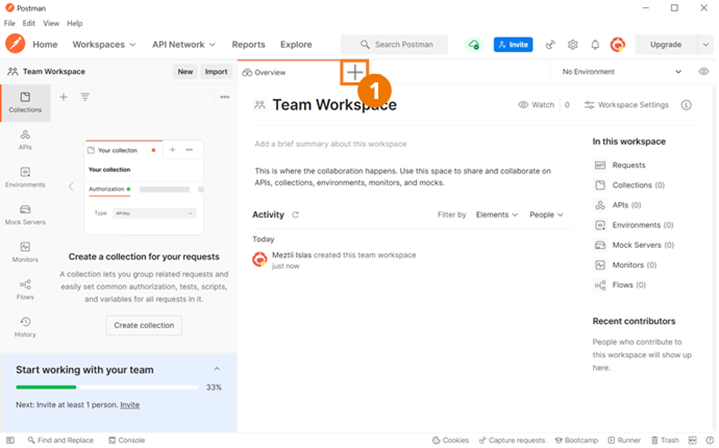
-
Select the method to use. In this example, we will select POST.
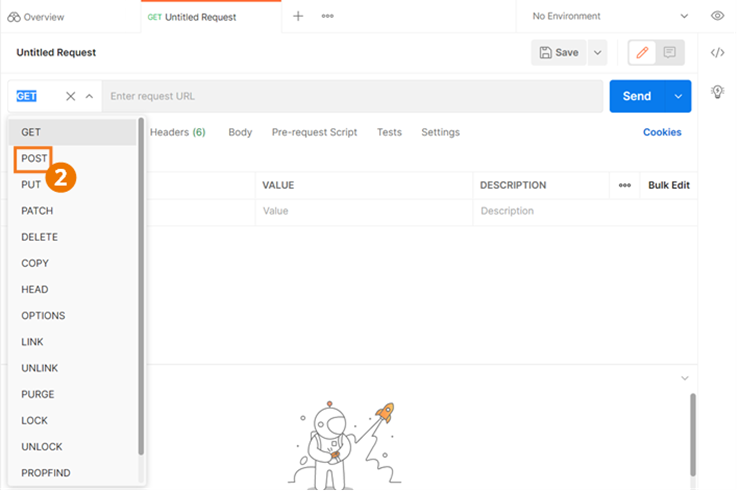
-
Enter the link for the method you will use to start communicating with the API. That is, the link previously provided for the production environment, followed by the name of the method you will use. For example:
https://developers.gosocket.net/api/v1/Document/SendDocumentToAuthority -
Go to the Authorization tab.
-
Select the authorization type used by your company. For this example, we will select Basic Auth.
-
Enter the Username and Password you previously generated within the Gosocket portal.
-
Click the Body or Params tab before starting the request process. For this example, we will use the Body tab.
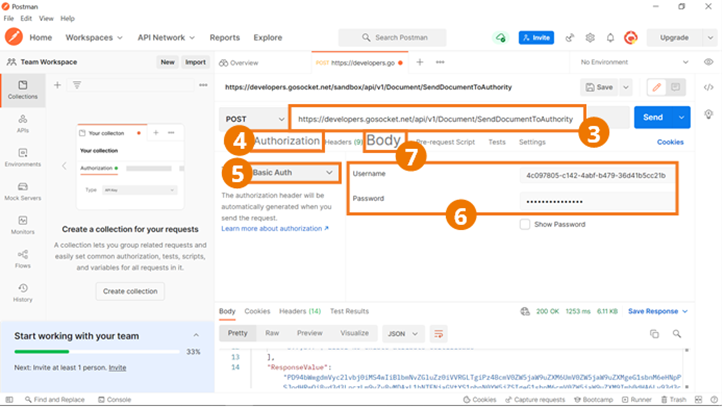
-
Select raw or x-www-form-urlencoded (if you selected Body in the previous step), which will be the format we will use to enter the method's parameters and generate the request. If you selected Params, enter the parameters to use.
-
The request language button is shown. Select JSON to configure it as the request language if you selected raw in the previous step.
-
Enter the request parameters in JSON, if you selected Body and raw in the previous steps.
-
Press Send to send the request and get the response.
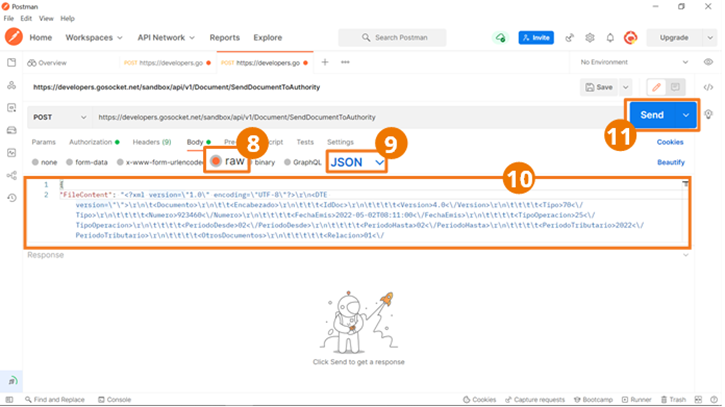
-
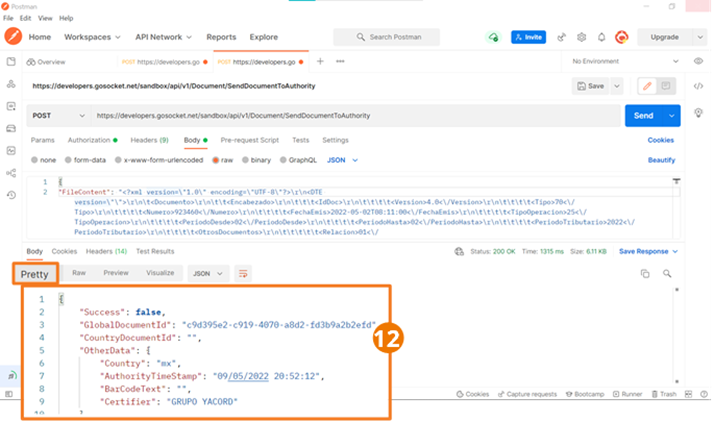
The response will be shown at the bottom of the screen within the Pretty tab.
Now let's explore the main methods offered by the Gosocket API!