The Spanish version is the authoritative reference. View in Spanish
Method to download the PDF file (DownloadDocumentPdf)
This method allows you to download a document's PDF file using the GET DownloadDocumentPdf service.
Through this method, you obtain the base64-encoded PDF file of the queried document.
To connect to this functionality, you will need to enter the URL according to the environment you want to use:
https://developers.gosocket.net/api/v1/File/DownloadDocumentPdfhttps://developers-sbx.gosocket.net/api/v1/File/DownloadDocumentPdfHow does the DownloadDocumentPdf method work?
To make the request, the method has the following parameters:
| DownloadDocumentPdf (request) | |||
|---|---|---|---|
| Parameter | Type | Description | Allowed values |
| globalDocumentId* | String | Document identification in Gosocket. | 36-character alphanumeric UUID xxxxxxxx-xxxx-xxxx-xxxx-xxxxxxxxxxxx |
| Type* | String | Type of PDF to download. The defined type will be shown in the response | default: downloads the document's PDF. |
*Required
Request example
The identifiers, tax IDs, and contents of these examples are fictitious; they are included only to illustrate the request and response formats.
GET https://developers-sbx.gosocket.net/api/v1/File/DownloadDocumentPdf?globalDocumentId=aaaaaaaa-aaaa-aaaa-aaaa-aaaaaaaaaaaa&type=default
Since this is a GET method, we use the Params tab in Postman to build the query.
- Select the method type. In this case, you must select GET.
- Enter the method's URL.
- Enter the parameters shown in the table above with their corresponding values.
- Press Send.
Response example
{
  "Name": "aaaaaaaa-aaaa-aaaa-aaaa-aaaaaaaaaaaa.pdf",
  "Description": "Pdf Content default for GlobalDocumentId aaaaaaaa-aaaa-aaaa-aaaa-aaaaaaaaaaaa",
  "Base64Content": "JVBERi0xLjQKMSAwIG9iago8PAovVGl0bGUgKP7...",
  "Timestamp": "2023-09-20T16:25:46.7524651Z",
  "Type": "pdf"
}
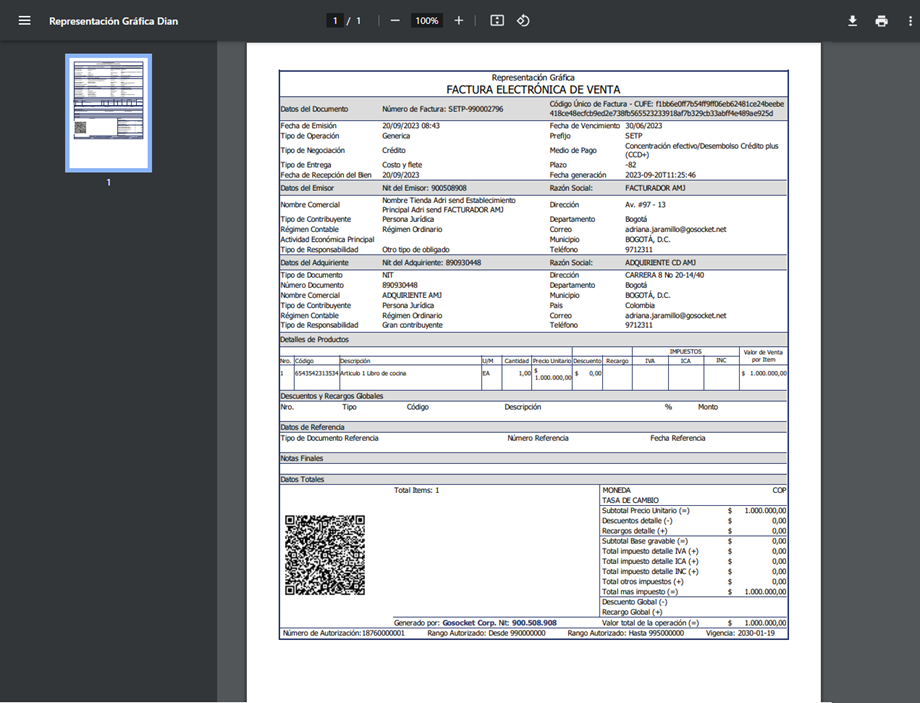
Once the base64 response has been decoded, the document's graphic representation will be displayed.
Method characteristics
-
When the document Id (globalDocumentId) does not exist, the system responds with an error message:
{"Message": "Document with GlobalDocumentId (00000000-0000-0000-0000-000000000000) does not exist"} -
The file can be downloaded as many times as needed.
-
When decoding the downloaded file, keep in mind that the PDF file has simple encoding, so it only needs to be decoded once in order to view the PDF.