The Spanish version is the authoritative reference. View in Spanish
FM 3.0 primary ranges listing
Module: Primary ranges
General description
The Primary ranges screen lets you view and administer the primary tax numbering ranges created for the organization within Folio Manager (FM).
A primary range corresponds to a range of folios authorized by the tax authority for a document type and a specific series. These ranges are used by FM to distribute numbering to the different billers, either through sub-ranges (local profile) or individual numbers (centralized profile).
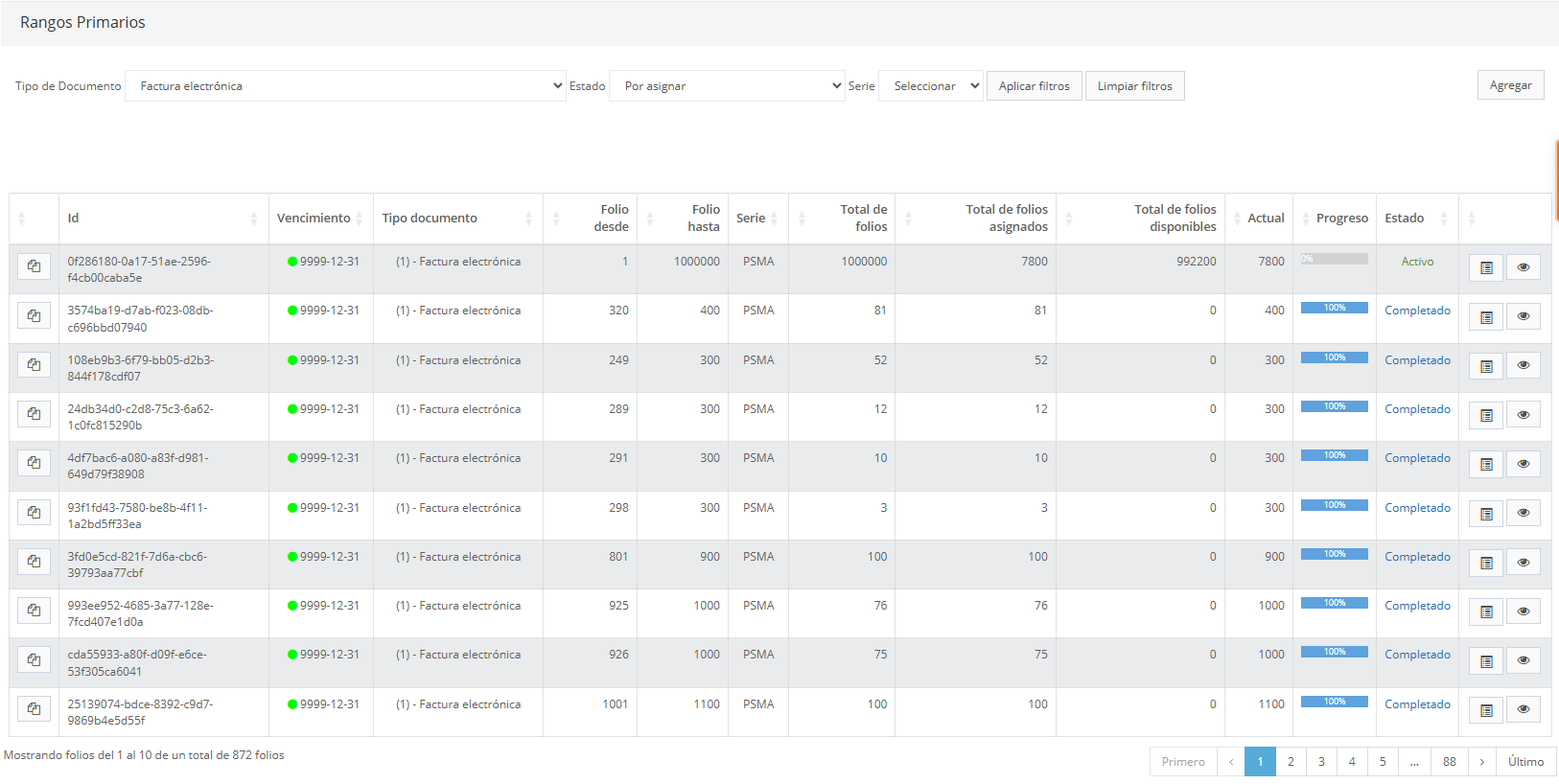
Section 1: Filters and actions
At the top of the screen are the options to filter and manage primary ranges:
| Filter / Action | Description |
|---|---|
| Document type | Filters primary ranges by tax document type (for example, electronic invoice). |
| Status | Filters ranges by their status (to be assigned, active, completed, expired, etc.). |
| Series / Billing point / Point of sale | Filters primary ranges by series, billing point, point of sale. These fields may vary by country. |
| Apply filters | Applies the selected filters to the listing. |
| Clear filters | Resets the filters to their initial state. |
| Add | Lets you create a new primary range and redirects you to the creation screen. |
Section 2: Primary ranges listing
The main section shows a paginated listing with all the created primary ranges, including the following information:
| Column | Description |
|---|---|
| Id | Unique identifier of the primary range (UUID), assigned automatically by the system. |
| Expiration | Expiration date of the primary range. |
| Document type | Tax document type associated with the range. |
| Folio from | Starting number of the folio range. |
| Folio to | Ending number of the folio range. |
| Series / Billing point / Point of sale | Series, billing point, point of sale of the primary range. These fields may vary by country. |
| Total folios | Total number of folios contained in the range. |
| Total folios assigned | Number of folios that have already been assigned or consumed. |
| Total folios available | Number of folios still available for assignment. |
| Current | Next available number within the primary range. |
| Progress | Visual indicator of the primary range's consumption percentage. |
| Status | Current status of the primary range (Active, Completed, Expired, Unassigned, Voided, among others). |
Actions per primary range
Each primary range has the following actions available:
-
Assign billers

Lets you associate one or more billers with the primary range so they can consume numbering from that range.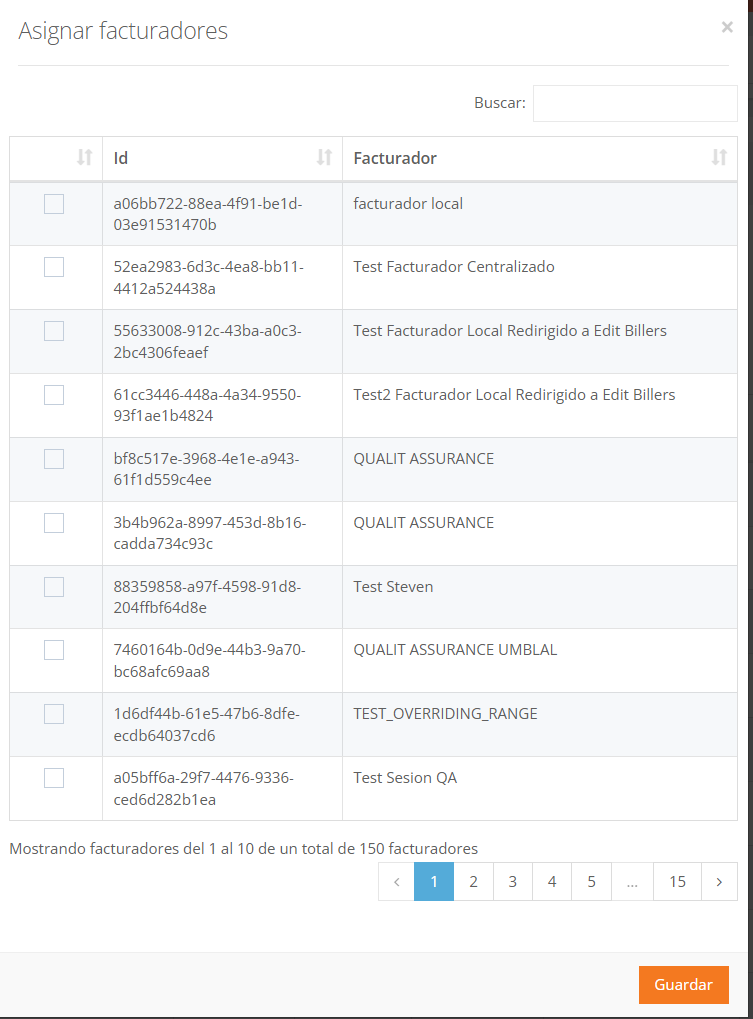
-
View assigned billers

Shows the listing of billers currently associated with the primary range that can consume numbering from it. From this view you can also remove associated billers; the removed biller will stop obtaining sub-ranges.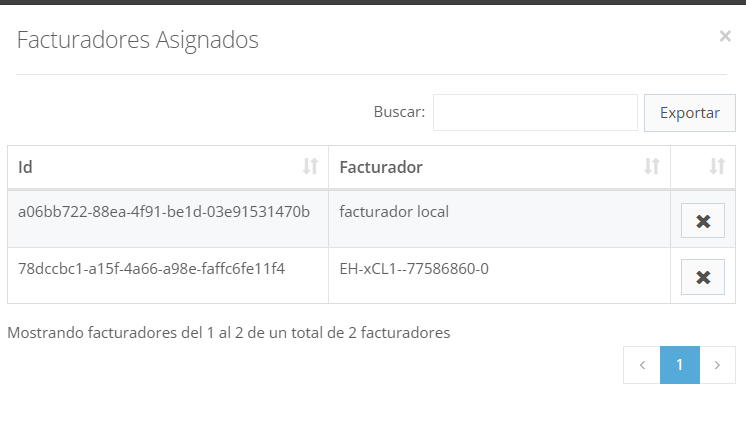
These actions let you control and audit which billers are using each primary range.
Important considerations
- A primary range must be active and have available folios to be assigned to billers.
- Consumption of the primary range is automatically reflected in the progress, assigned folios, and available folios fields.
- The range statuses let you quickly identify whether a range can still be used or is already completed or expired.