The Spanish version is the authoritative reference. View in Spanish
🇨🇱 Chile
This sheet assumes you know the generic FM 3.0 screens (FM 3.0 modules) and the local/centralized operation model (Methods and parameters). Here we only document what is specific to Chile.
Summary
| Tax authority | SII (Servicio de Impuestos Internos) |
| Numbering authorization | CAF — Código de Autorización de Folios (folio authorization code; XML file per DTE type) |
| Document types | DTE (Documentos Tributarios Electrónicos / Electronic Tax Documents) |
| Obtaining ranges | Manual upload of the CAF file or automatic download from the SII |
| Automatic reload | Yes — smart refill + thresholds per DTE type |
| Voiding folios | Yes — before the SII, from the Primary ranges screen |
The CAF: the primary range in Chile
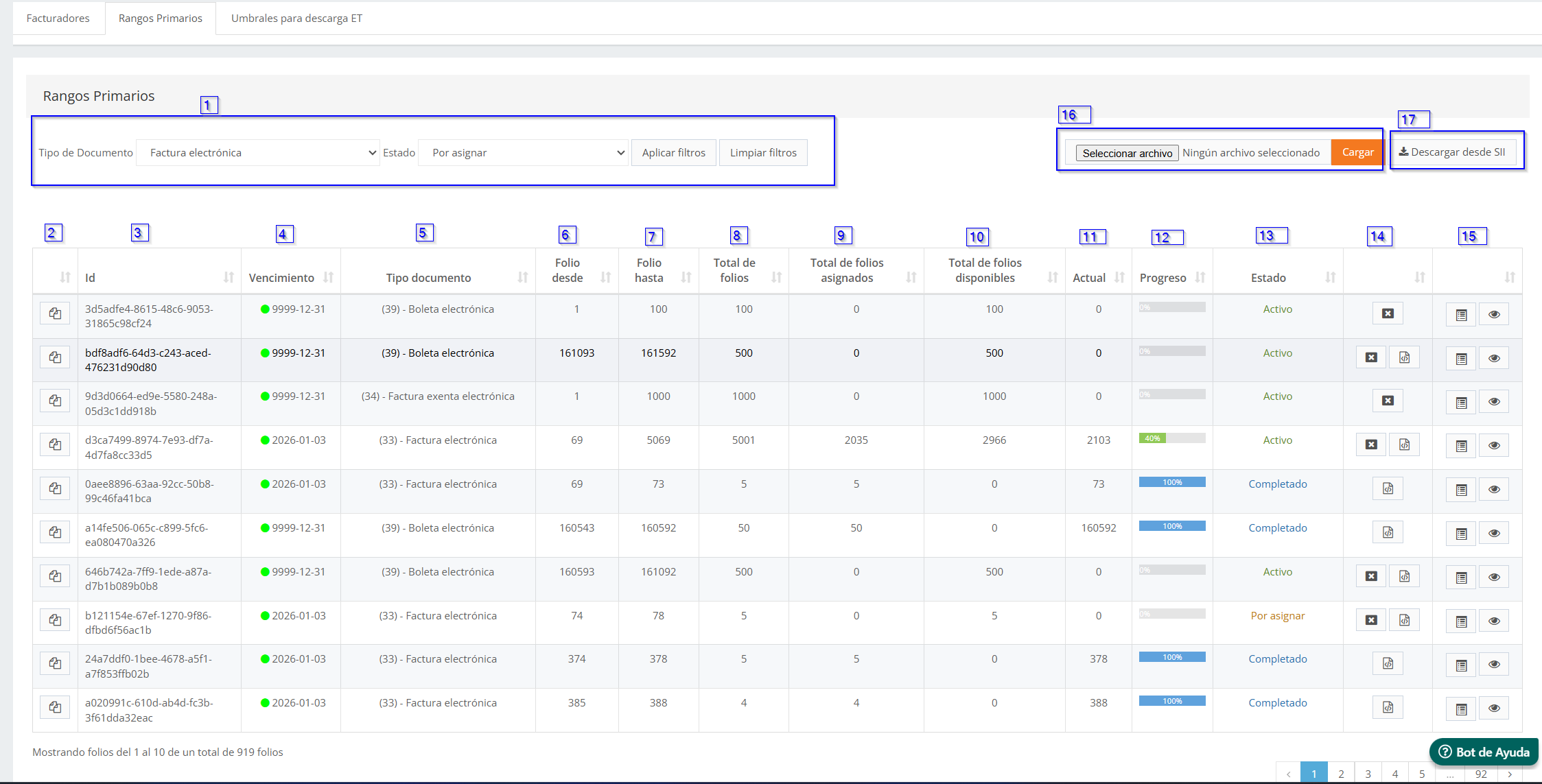
In Chile, each primary range in FM corresponds to a CAF: the XML file issued by the SII authorizing a range of folios for a DTE type. The concepts on the Primary ranges screen are read as follows:
- Expiration → date on which the CAF expires.
- Document type → DTE type associated with the CAF.
- Folio from / to → numbering authorized in the CAF.
- Local profile → the biller obtains sub-ranges from the main CAF.
- Centralized profile → the biller obtains folios one by one from the CAF.
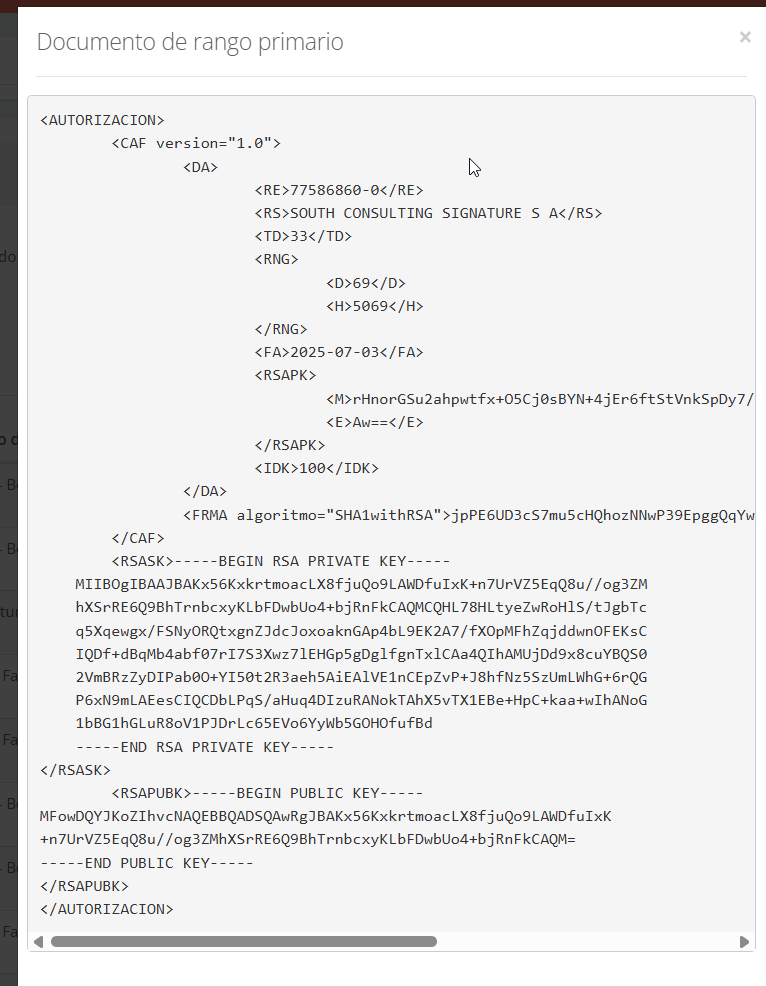
Viewing the CAF XML
The  action on each range lets you view the XML associated with the CAF:
Obtaining folios
Manual CAF upload
Select File (Primary ranges screen) lets you upload a CAF obtained manually from the SII site.
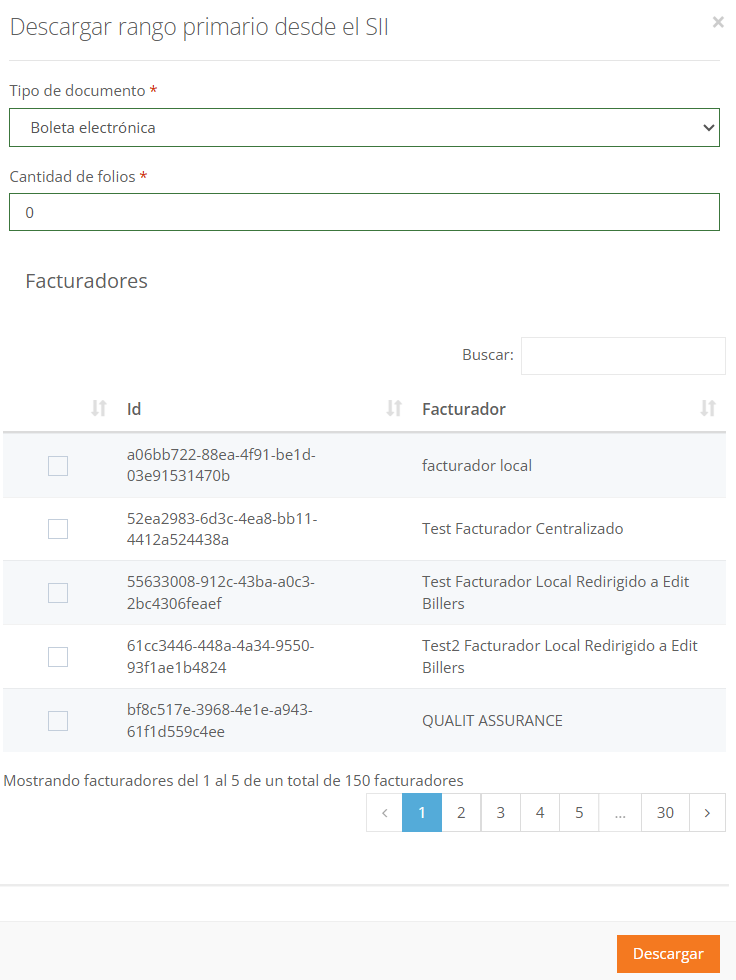
Download from SII
Download from SII requests folios directly from the authority, without going through the SII site. You must indicate:
- Document type → DTE type to request.
- Number of folios to request.
- Billers → one or more billers that will obtain sub-ranges from the downloaded CAF.
Smart refill and thresholds
In Chile, smart refill automatically requests a new CAF from the SII (per DTE type) when the primary range reaches the configured threshold. For it to operate, the following are required:
- The biller must be Active and have smart refill enabled.
- The DTE type must be configured in Thresholds for ET download.
Thresholds for ET download
How automatic reload works, with diagram and example: Thresholds for automatic primary range reload.
Lists the CAF request thresholds by DTE type:
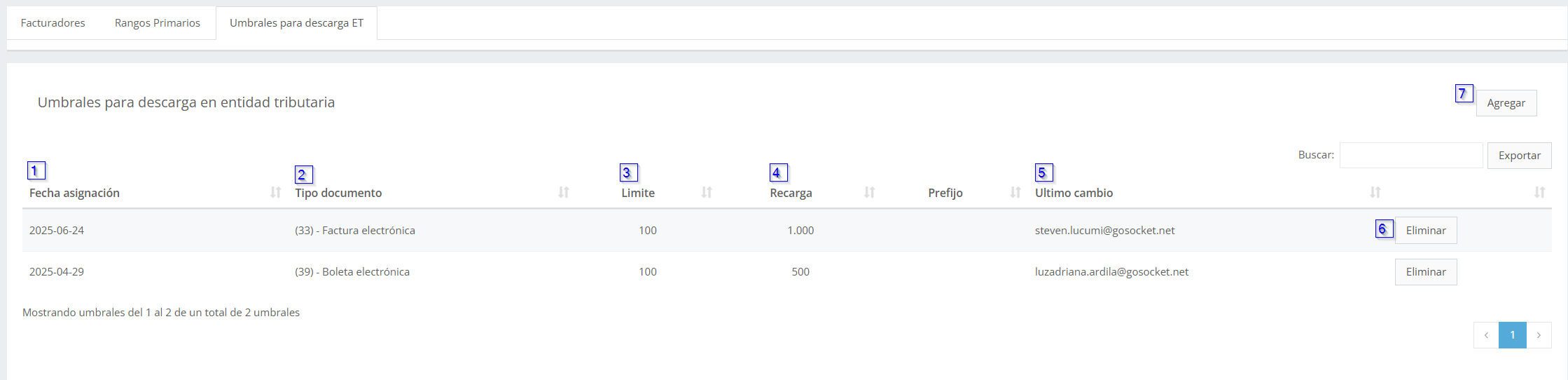
- Date the threshold was assigned.
- Document type (DTE) associated with the threshold.
- Limit → folio threshold that, when reached, triggers the request for a new range to the SII.
- Reload → number of folios that will be requested from the SII.
- Last change → user who last modified the record.
- Delete the record.
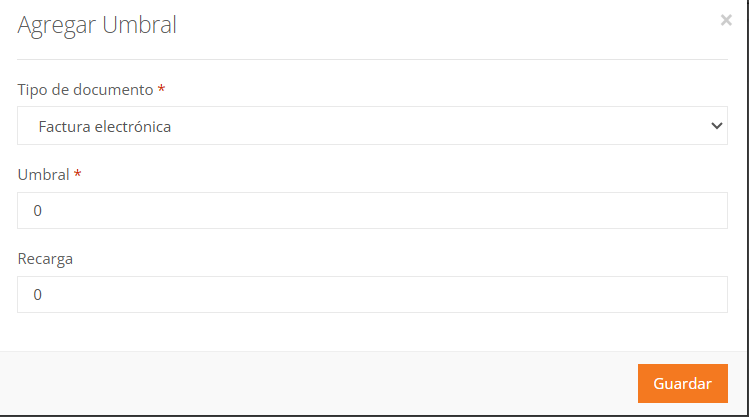
- Add → registers a new threshold, indicating DTE type, threshold, and folios to reload:
Voiding folios before the SII
The  action on each primary range lets you void folios before the SII, invalidating the unused numbering of the CAF.
Terminology
| Term | Meaning |
|---|---|
| CAF | Código de Autorización de Folios (Folio Authorization Code): XML file issued by the SII with the folio range authorized per DTE type. |
| DTE | Documento Tributario Electrónico (Electronic Tax Document). |
| Folio | Authorized sequential number with which each DTE is issued. |
The generic FM terms (sub-range, threshold, primary range) are defined in the general model.