The Spanish version is the authoritative reference. View in Spanish
Access and Installation
ioFacturo Legacy operates as a gadget within the Gosocket platform. Before issuing documents, sign in to Gosocket and install the gadget if you do not already have it available.
Sign in to Gosocket
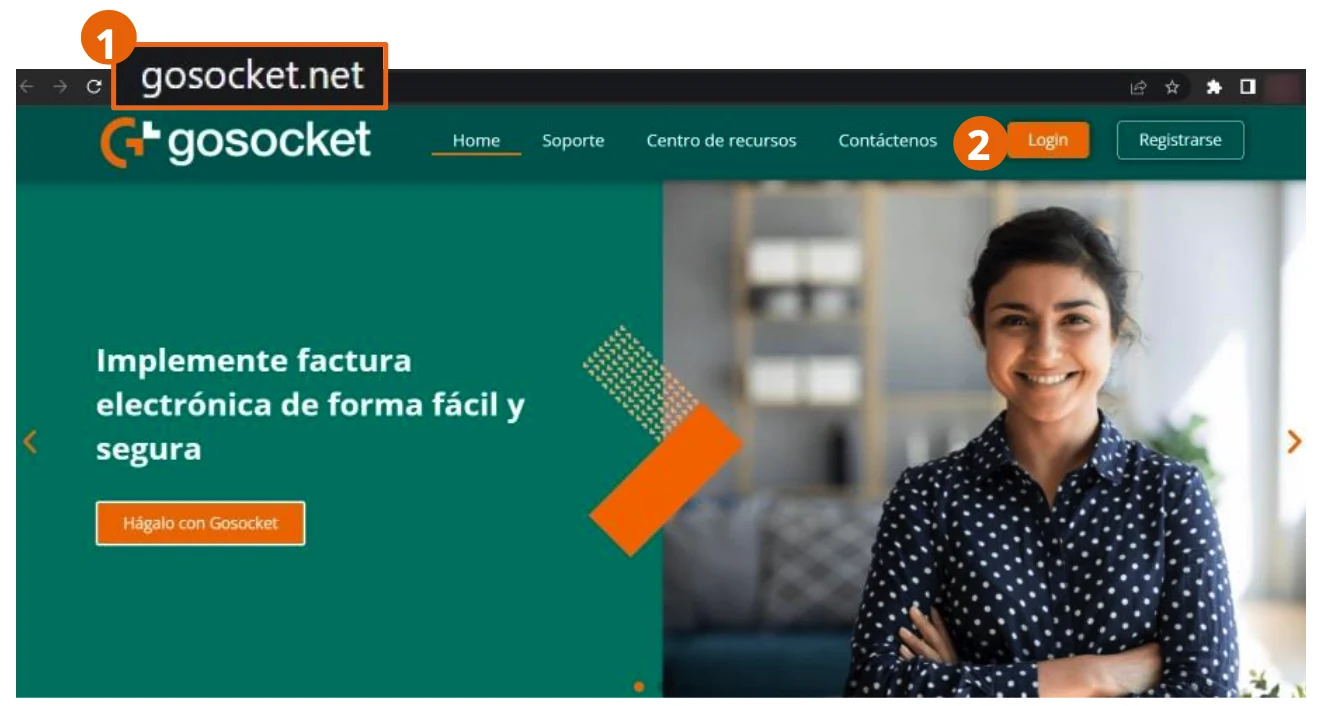
- From your browser, go to https://www.gosocket.net/ and open the sign-in option.
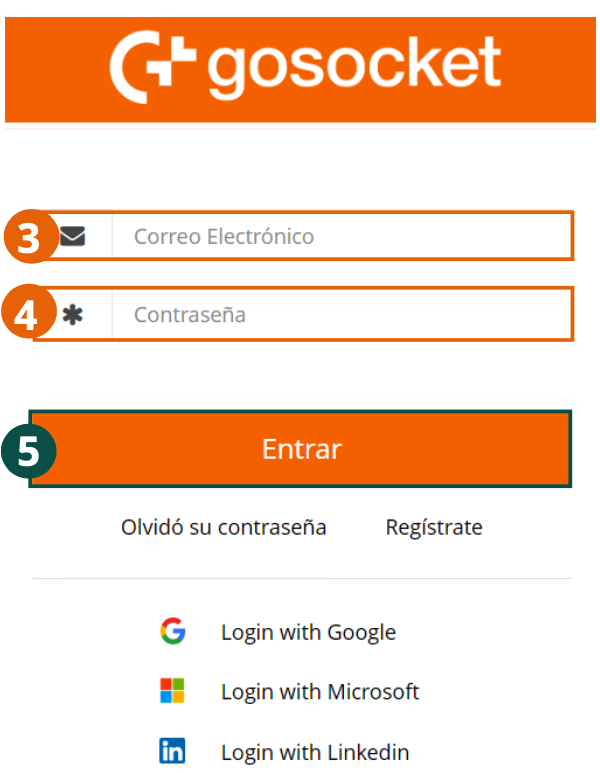
- Enter your username.
- Enter your password and confirm to access the platform.
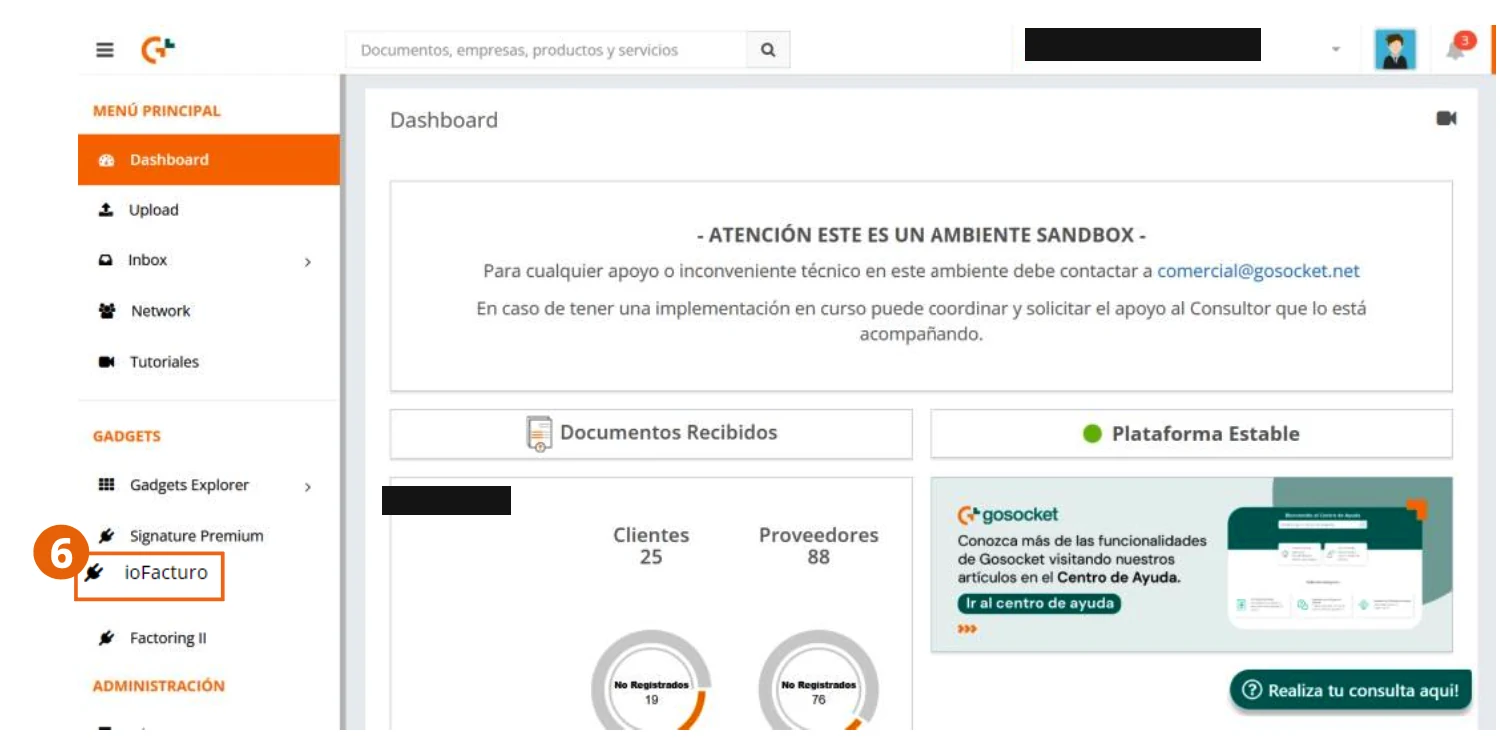
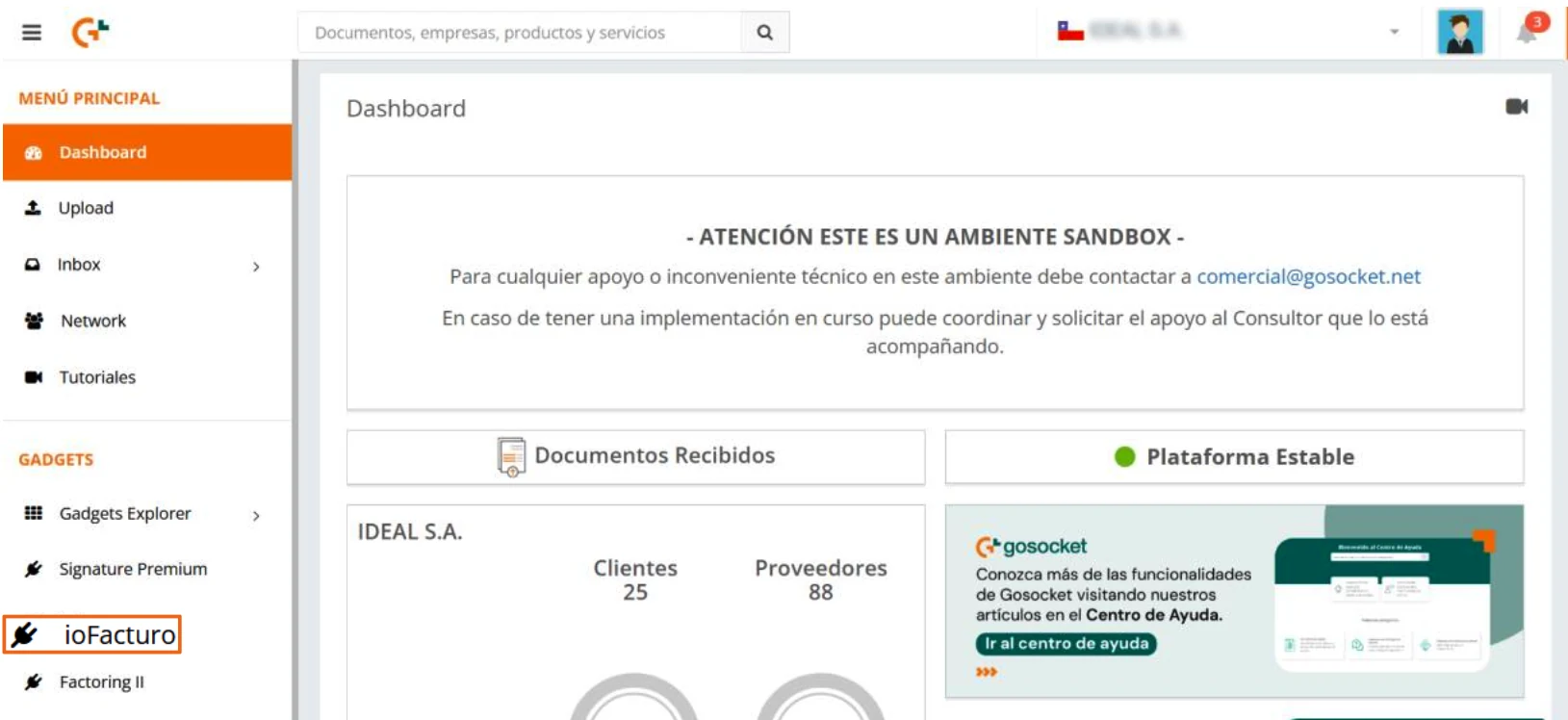
- Once you are in the platform, click the ioFacturo gadget within the Gadgets section.
Installing the ioFacturo gadget
If you do not already have the gadget installed, the first step is to install it so it appears in the menu of options shown on the left side of the screen:
- From the side menu, click Gadgets Explorer.
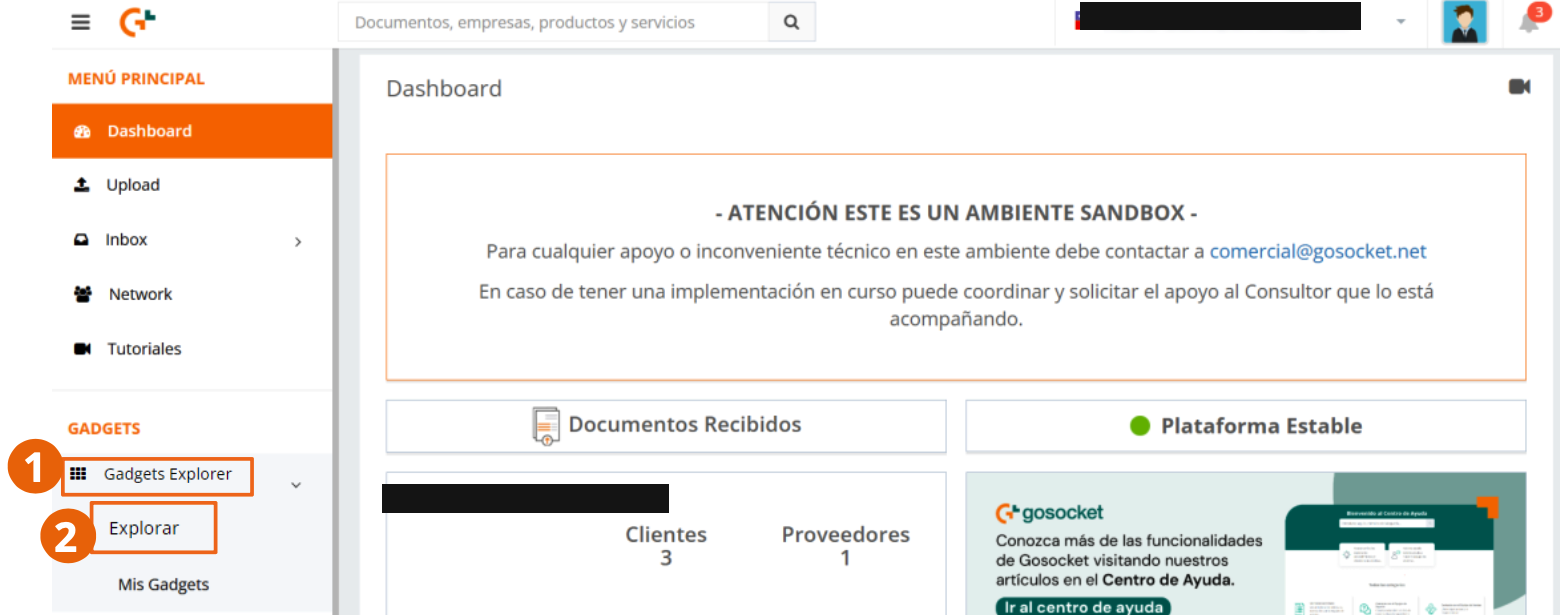
- Locate the ioFacturo gadget and install it.
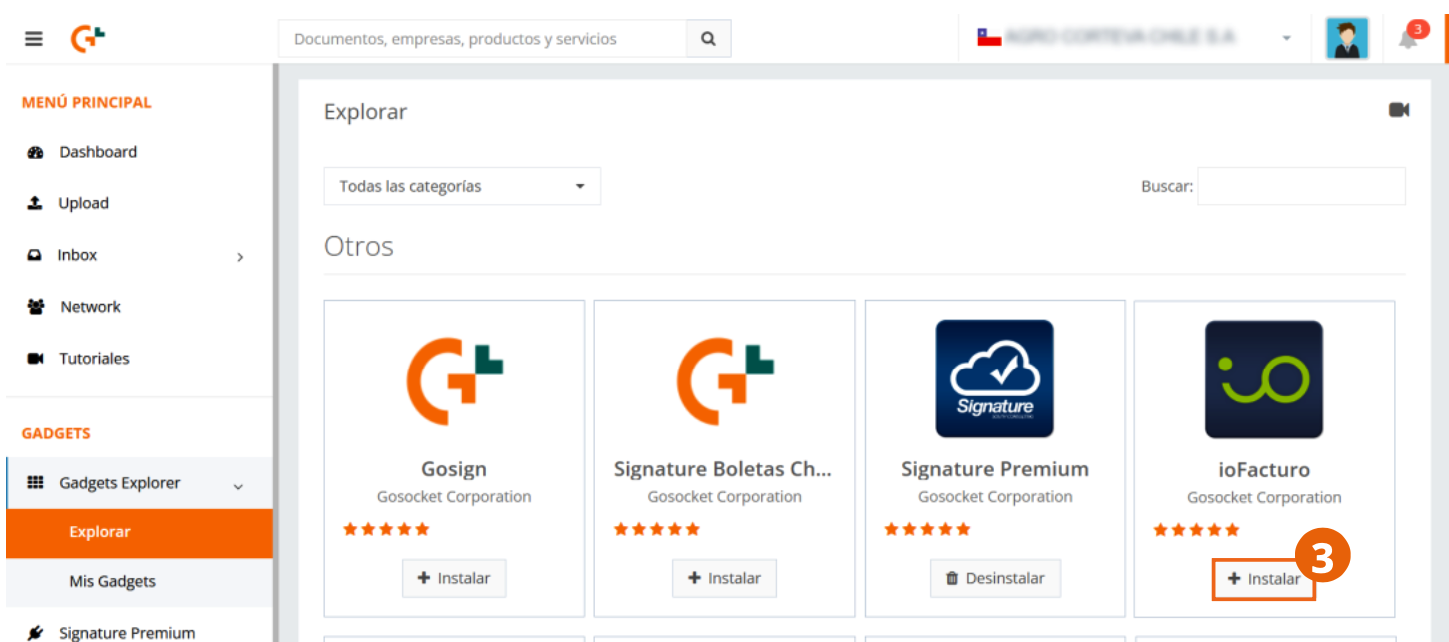
Once the application is installed, you can use it to issue your documents and carry out any related actions they require.
Enter ioFacturo
To start the invoicing process, open the ioFacturo gadget from the side menu.
Next step
Before issuing your first document, upload your folio ranges authorized by the SII from the Administrar (Manage) module. See Folios.