The Spanish version is the authoritative reference. View in Spanish
Numbering Ranges
In Colombia, the DIAN authorizes through resolution the numbering ranges with which electronic documents are numbered. Before issuing documents, register in ioFacturo Legacy each range with its prefix, resolution number, and technical key that the DIAN assigned for the range.
Register a Numbering Range
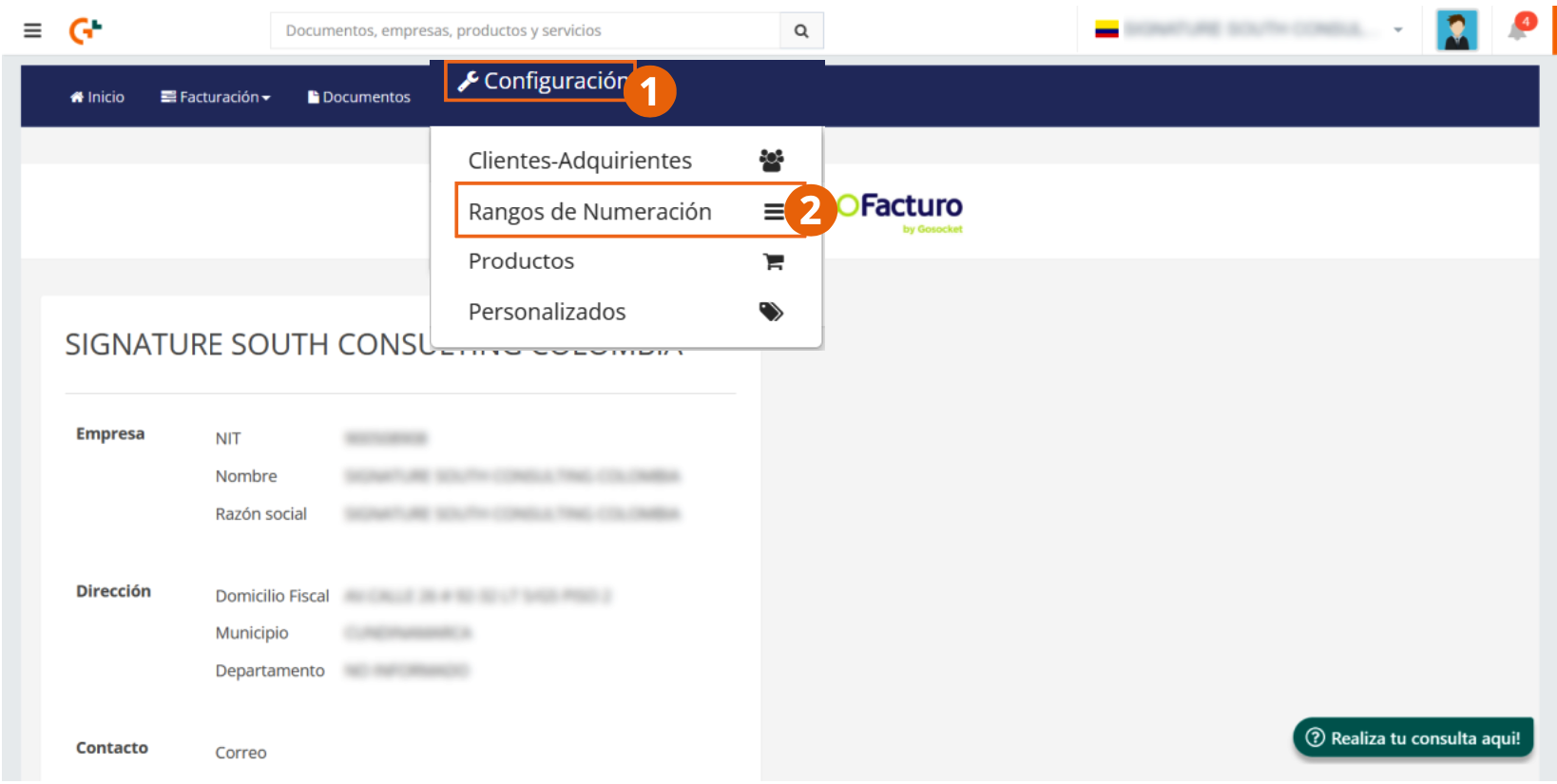
- From the main menu, click Configuration and select Numbering Ranges.
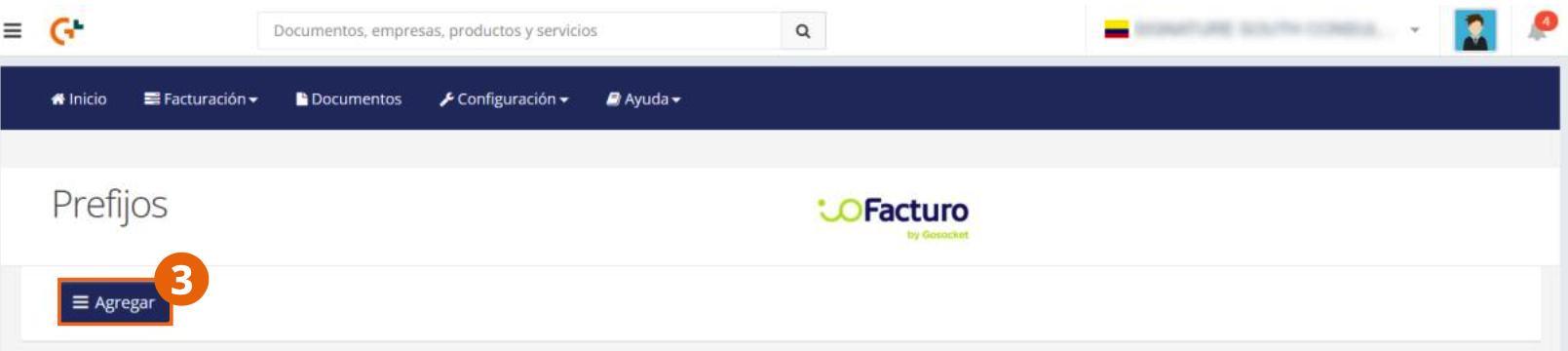
- In the Prefixes screen, click the Add button.
You must fill in the form displayed in the pop-up window with the following information:
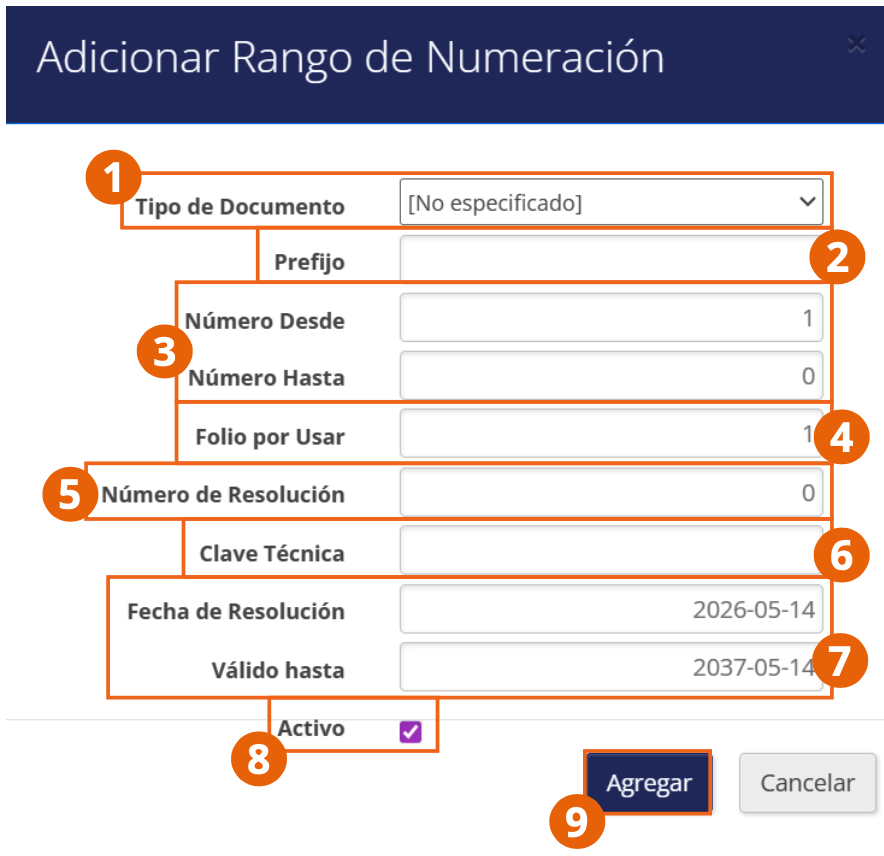
- Select the document type to which the numbering range will apply.
- Enter the prefix of the range and the numbering interval (Number From and Number To), as well as the folio to use with which you must start issuing.
- Write the DIAN resolution number that authorizes the range.
- Write the technical key that the DIAN assigned for the range.
- Using the calendar that appears when you click on these fields, select the resolution dates and validity dates of the range.
- Use the Active checkbox to indicate whether this is a range ready to use or if it should only be reserved in the system to be activated later.
- When finished, click Add.
A success notification will be displayed.
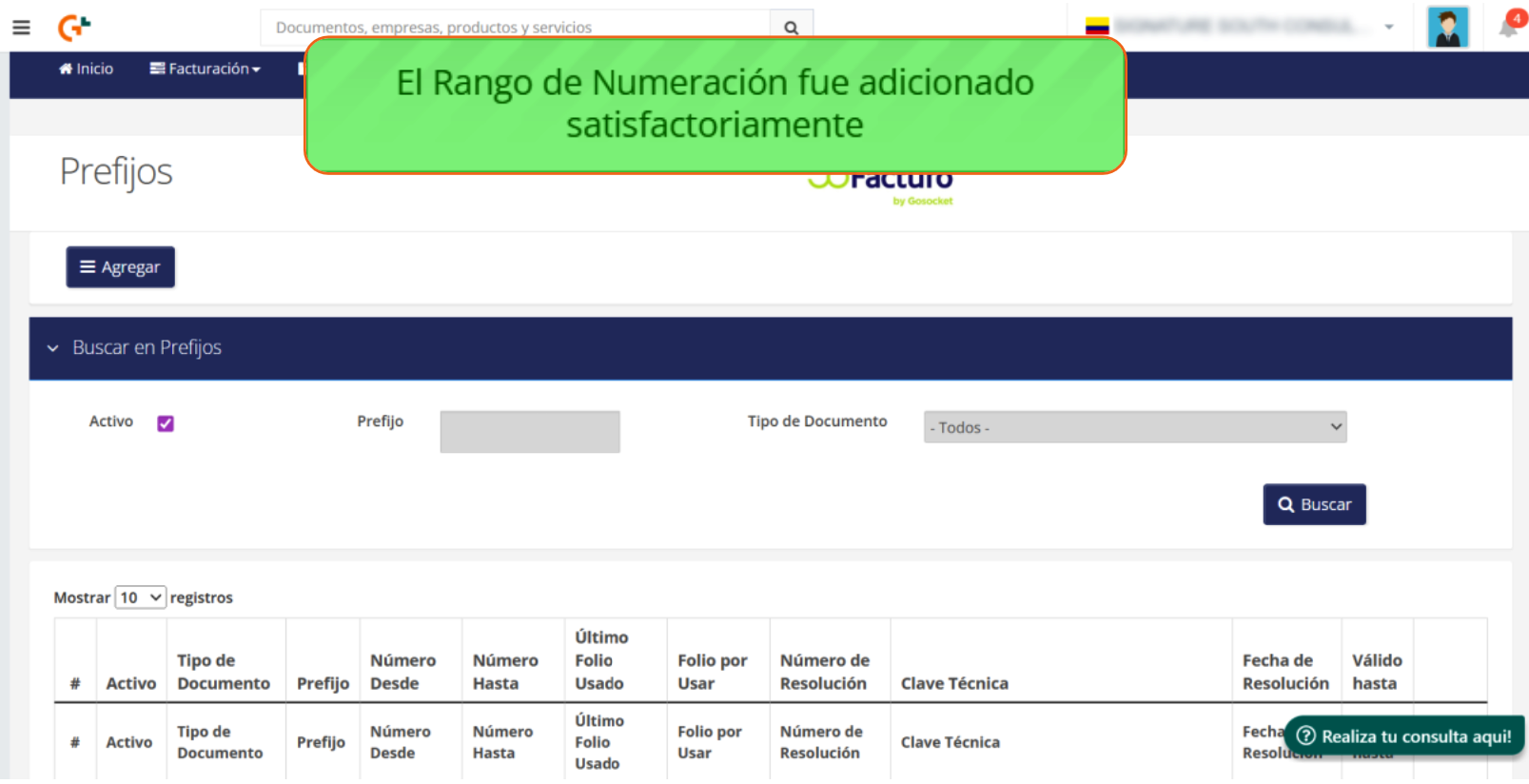
The prefix, numbering interval, resolution number, technical key, and validity dates are those that the DIAN assigned to your company in the numbering authorization resolution. Register them exactly as they appear in the resolution.
Search Numbering Ranges
Within the Prefixes screen, the Search in Prefixes section allows you to locate a record:
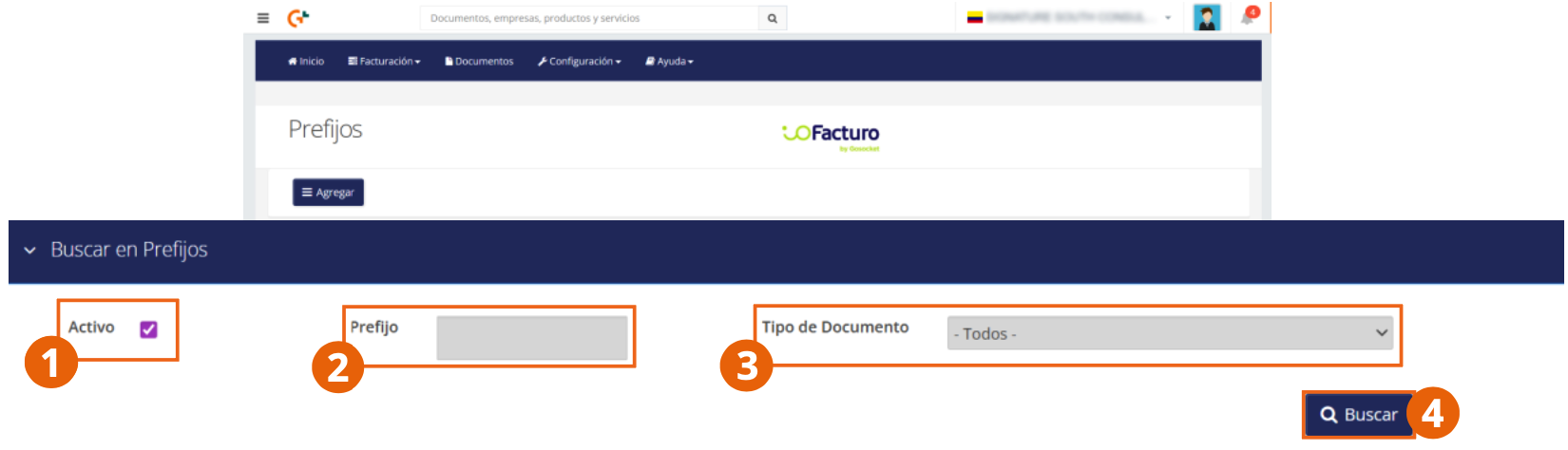
- Select whether the record you are looking for is active.
- Enter the prefix of the numbering range to search for.
- Select the document type to which the numbering range applies.
- When finished, click Search.
You can use all or only some of the search filters to locate a record.
Organization of the Numbering Ranges List
The Prefixes screen list shows the information for each record in the following order:
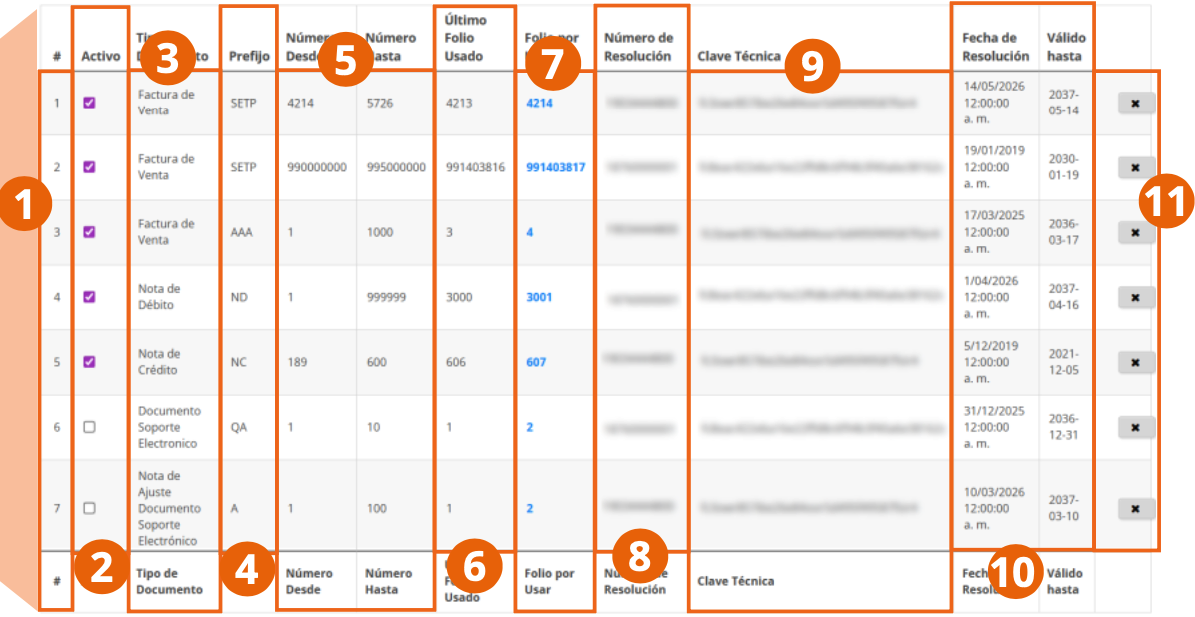
- Serial number of the record.
- Active column, which shows whether it is an active range, ready to use, or in use.
- Document type to which the numbering range applies.
- Prefix of the range assigned by the DIAN.
- Range of folios that the numbering range covers (Number From and Number To).
- Last folio used in a document issued to date.
- Folio to use in the next document to be issued.
- DIAN resolution number for the assignment of the numbering range.
- Technical key of the DIAN resolution for issuing documents with this numbering range.
- Resolution dates and validity dates of the numbering range.
- Column with the delete button for the record.
With numbering ranges registered, load your customers, products, and custom fields from the Configuration menu. See Configuration.