The Spanish version is the authoritative reference. View in Spanish
Sequences
The Manage Sequences submodule of the Administration module allows you to define the ranges of folio numbering that will be used in documents, associated with an establishment and issuance point and backed by the authorization key issued by the Internal Revenue Service (SRI).
View Sequences
- From the main menu, go to Administration.
- Select Manage Sequences.
The list of sequences registered in the system will be displayed:
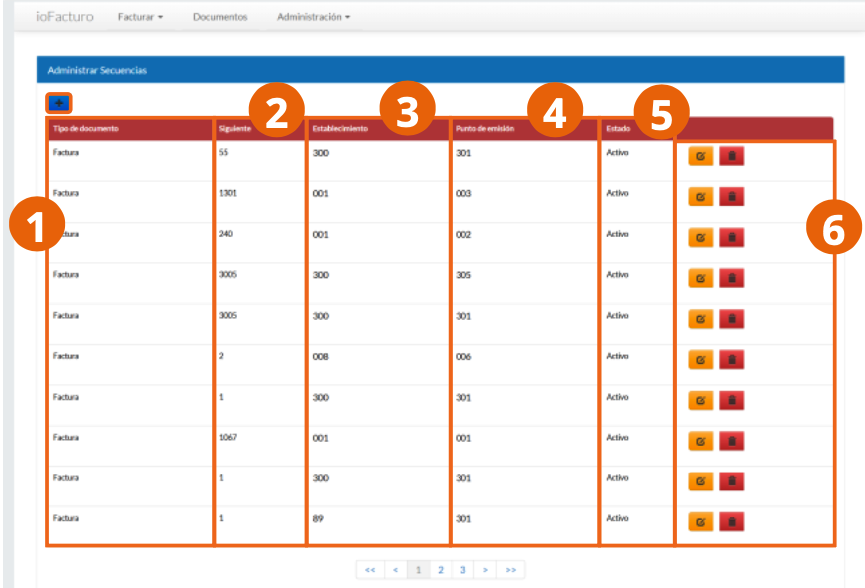
- Document type to which the sequence will apply.
- Next: folio number to assign to the next document to be issued.
- Establishment to which the folio sequence was assigned.
- Issuance point from which documents with the sequence from the record will be issued.
- Status of the sequence; that is, whether it is active for use in documents being issued.
- Options to edit or delete the sequence record.
Register a Sequence
Click the + button displayed above the list and complete the Manage Sequence form:
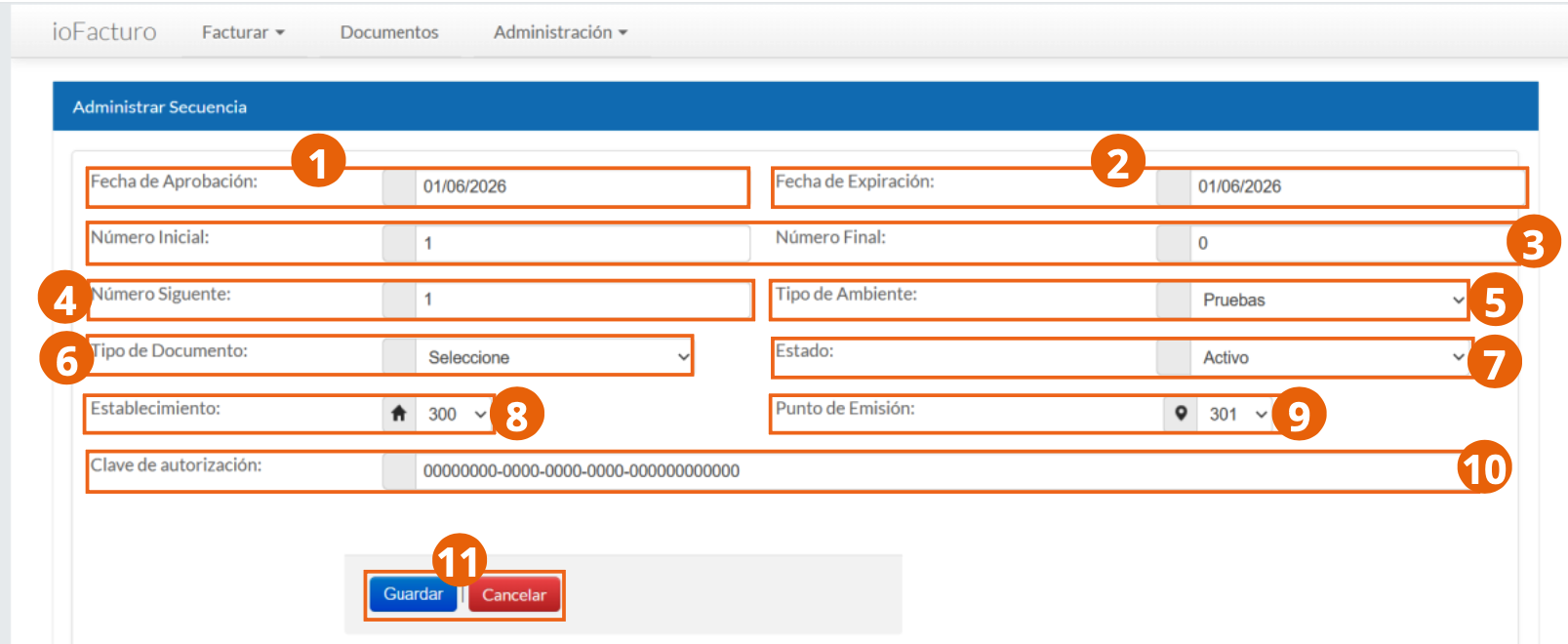
- Approval Date: date on which the Internal Revenue Service approved the sequence to register.
- Expiration Date: validity period of the sequence.
- Initial Number and Final Number: folio numbering range of the sequence.
- Next Number: next number to be used in a document to be issued with this sequence.
- Environment Type in which the sequence will be used, which can be productive or test.
- Document Type to which the folio sequence will be assigned.
- Status of the sequence once it is registered in the system. You can keep a sequence inactive but registered in the system.
- Establishment from which documents to which the sequence is assigned will be issued.
- Issuance Point: you can specify the sales point of the establishment from which documents whose folios correspond to the sequence will be issued.
- Authorization key issued by the Internal Revenue Service.
- When finished, click Save to store the record information in the system, or Cancel to discard the data.
Before Issuing
The folio assigned to each voucher comes from an active sequence for the corresponding establishment and issuance point. Register and activate the sequence before issuing the document from the Invoice module.