The Spanish version is the authoritative reference. View in Spanish
Electronic Credit Note
The Electronic Credit Note (e-CN) is the tax document used to fully or partially cancel an already issued invoice. This page describes its issuance, focusing on the sections that are specific to this document; the rest of the fields match those already described in Electronic Invoice.
Open the Issuance Form
To start issuing an electronic credit note, click Invoicing in the ioFacturo menu and select Electronic Credit Note.
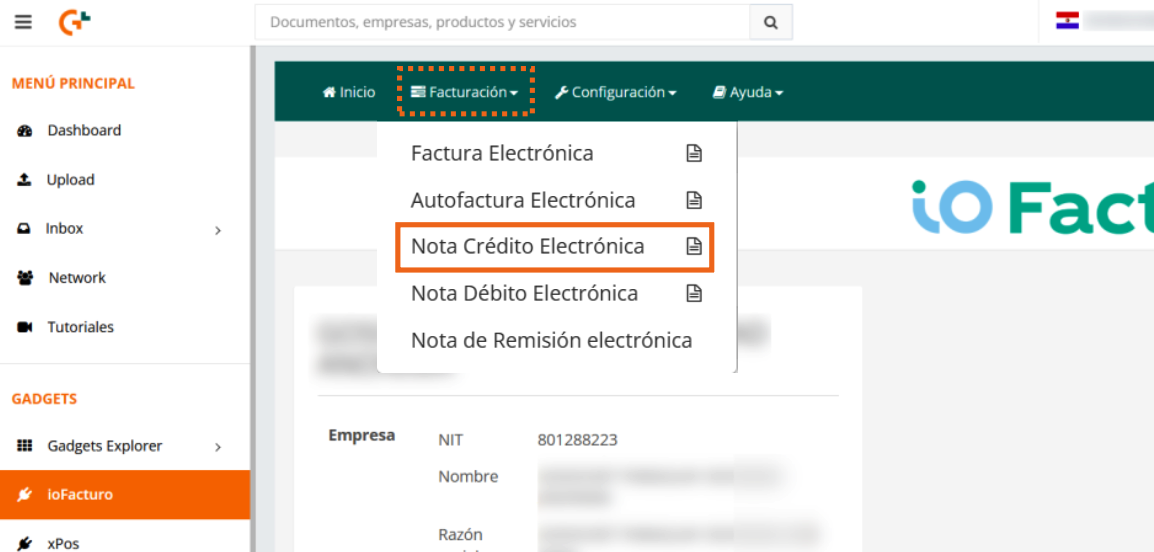
Load Electronic Invoice Data
Unlike the invoice, the credit note form starts with this section, which lets you take the data from an already issued invoice as the basis for the document:
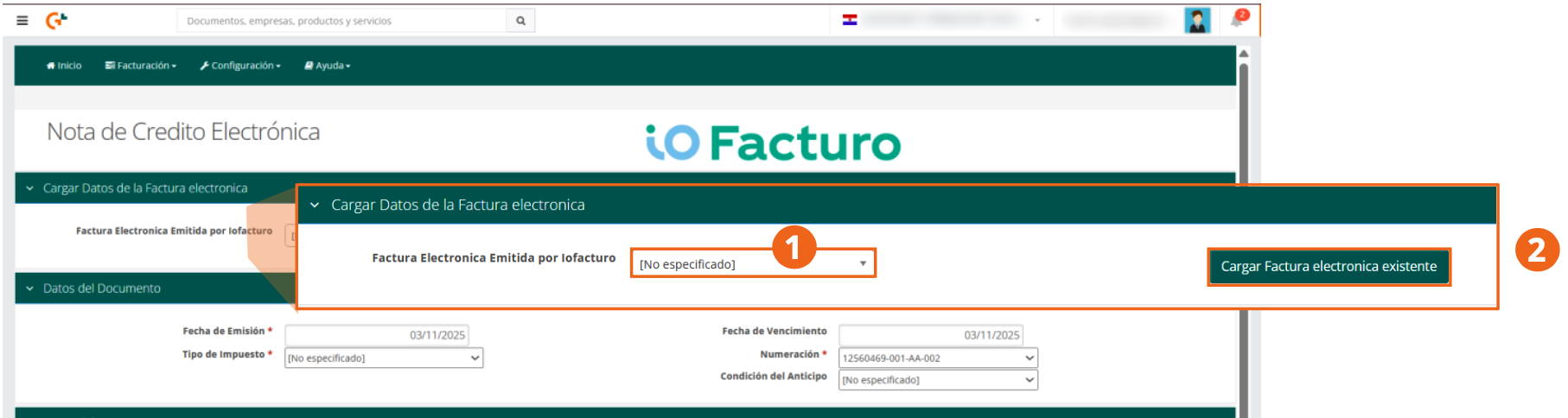
- Select the Electronic Invoice Issued by ioFacturo that you want to fully or partially cancel.
- Click Load Existing Electronic Invoice so the system brings the original document's data into the form.
Shared Sections
Once the reference invoice is loaded, the form shows the same sections you already know from issuing an electronic invoice: Document Data, Issuer Data, Receiver Data, Product Details, Custom Fields, and Totals Data. See Electronic Invoice for the detail of each field.
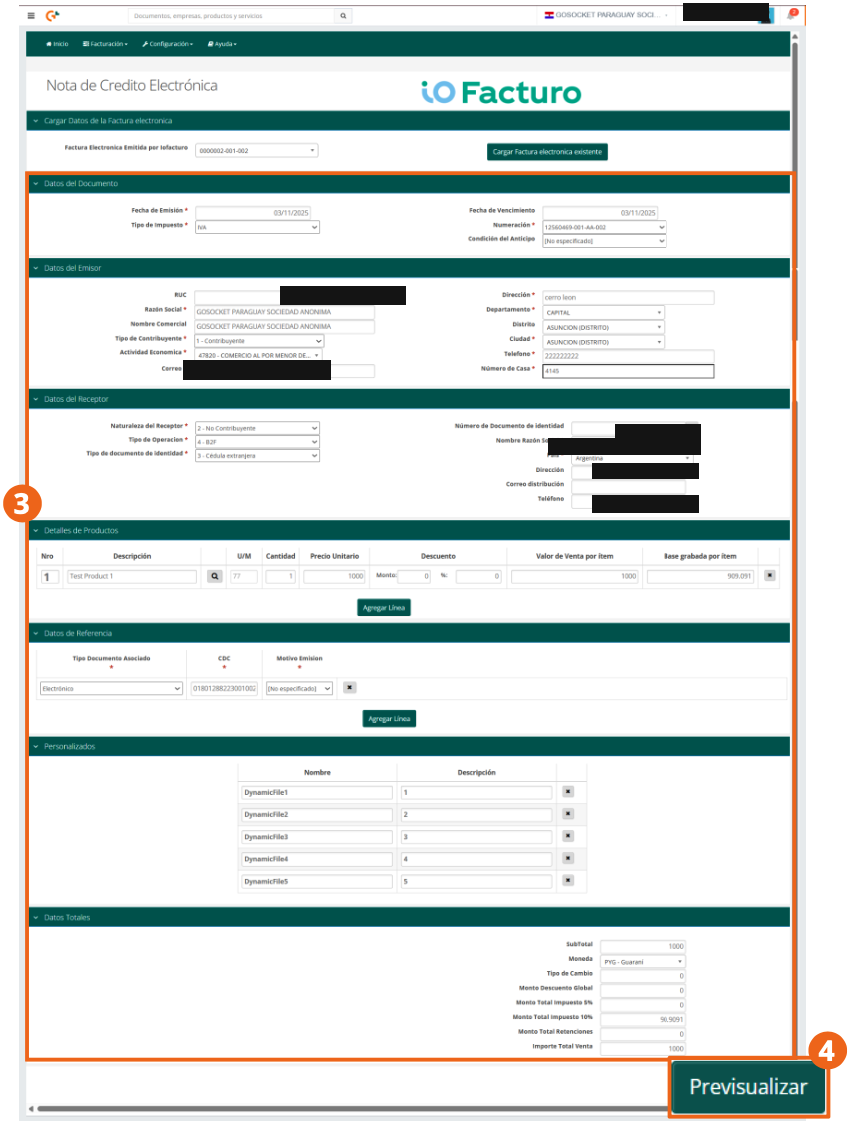
The only additional section, specific to credit notes, is Reference Data:
- Associated Document Type: type of the document being cancelled.
- CDC: control code number of the original document.
- Issuance Reason: select the reason the credit note is being issued.
When you finish filling out the form, click Preview.
Preview and Submission
Within the preview you will find the document's information and the KuDE that will be generated, with the CDC to verify the voucher's validity.
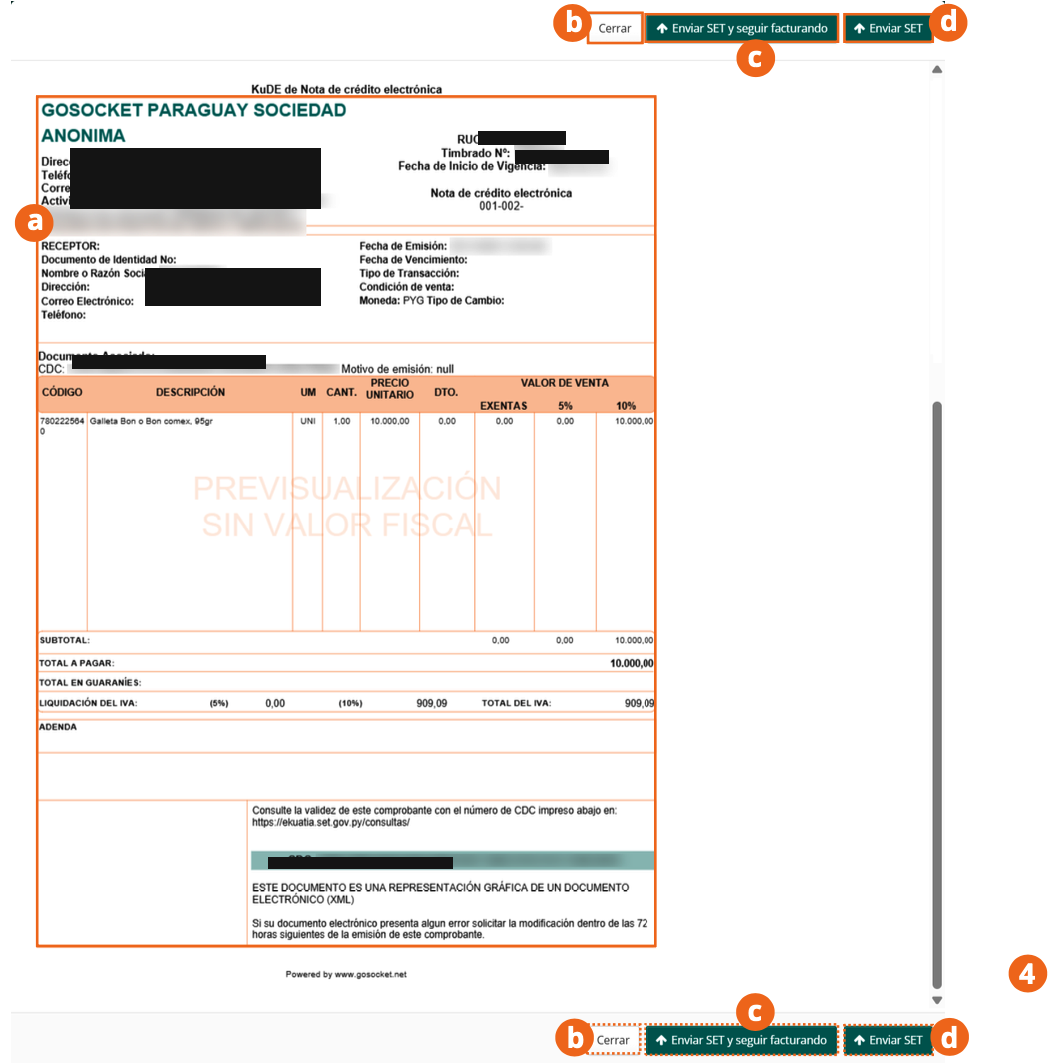
- To keep editing the document's information, click Close.
- To continue the issuance process and keep issuing credit notes, click Send to SET and keep invoicing.
- To send the document and finish, click Send to SET.
The interface buttons keep the acronym SET (Undersecretariat of State for Taxation), the former name of the current DNIT. Submission is done through the SIFEN system (e-Kuatia), where the voucher's validity can also be checked with its CDC number.