The Spanish version is the authoritative reference. View in Spanish
Delivery Guide
From the Invoicing submodule menu, select Delivery Guide to enter this section. Fields marked with an asterisk (*) are required.
Document Data
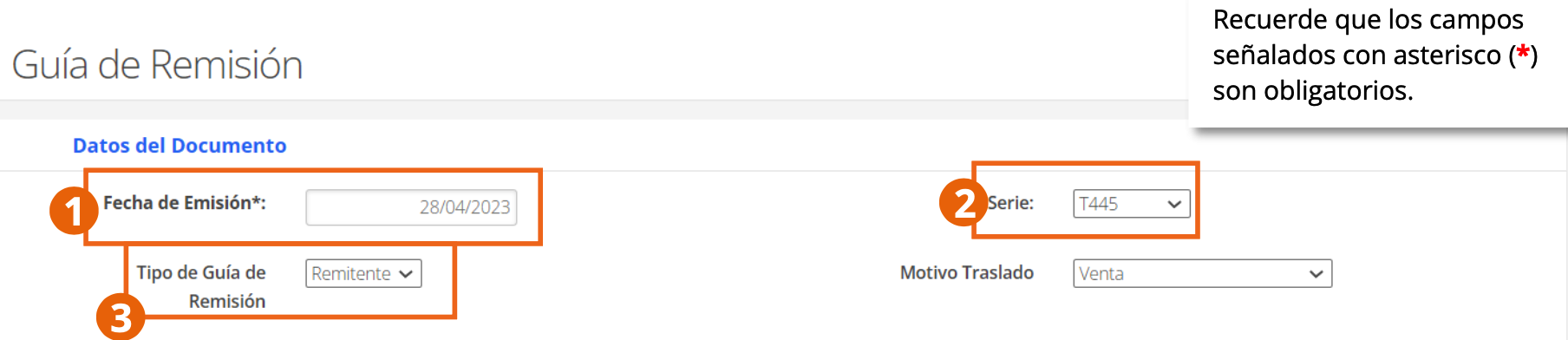
- Issue Date and Series: of the document.
- Delivery Guide Type: Sender or Carrier. The fields displayed below depend on the type chosen.
- Transfer Reason: reason why the goods are being transferred.
Sender
This type of guide is issued by the owner of the goods (sender) when starting a transfer. It is issued in cases such as a sale, the provision of a service that includes transport, a transfer of use, a transfer between premises of the same company, the delivery of goods on consignment, or the return of goods not sold by the consignee.
A delivery guide must be issued for each destination, as well as one guide per recipient — unless, for the same recipient, there is more than one delivery address; in that case, a single guide detailing all destinations is enough.
When you select Sender in the Delivery Guide Type field, the following fields are displayed:
Issuer Data

The RUC and legal name in this screenshot correspond to the company of a test environment and were covered before publishing this manual.
Verify your data as issuer: RUC and Legal Name, taken from the Company Registration.
Recipient Data

- Document Type and Recipient Document Number: identification of who receives the goods.
- Legal Name: legal name of the recipient.
Supplier Data
If the transfer corresponds to goods from a supplier other than the recipient, also enter their tax data:

- Document Type: used to identify the supplier before the tax authority.
- Supplier identification document number: supplier's identification number.
- Supplier Legal Name: legal name the supplier is identified with.
To add another supplier, click Add Supplier; to delete the row, click the delete icon.
Related Document
If there are documents related to the delivery guide, complete these fields:

- No.: consecutive number of the related document.
- Ref. Document Type, Reference Series, and Reference Number: of the referenced document.
- Identification document and RUC of the issuer of the related document: of the issuer of the related document.
To enter another related document, click Add Line; to remove a line, click the delete icon.
Goods to Transport

- Standardized good: check this if it is a product identifiable by SUNAT with a code defined by that agency.
- Good code, National subheading code, SUNAT product code, and GTIN code: identification of the good.
- Description, U/M, and Quantity: of the good to be transported.
If more goods will be transferred to the same recipient, click Add Line; to remove a record, click the delete icon.
General Cargo Data

- Gross weight unit of measure and Total gross weight of the cargo: of the entire shipment.
Transfer Data
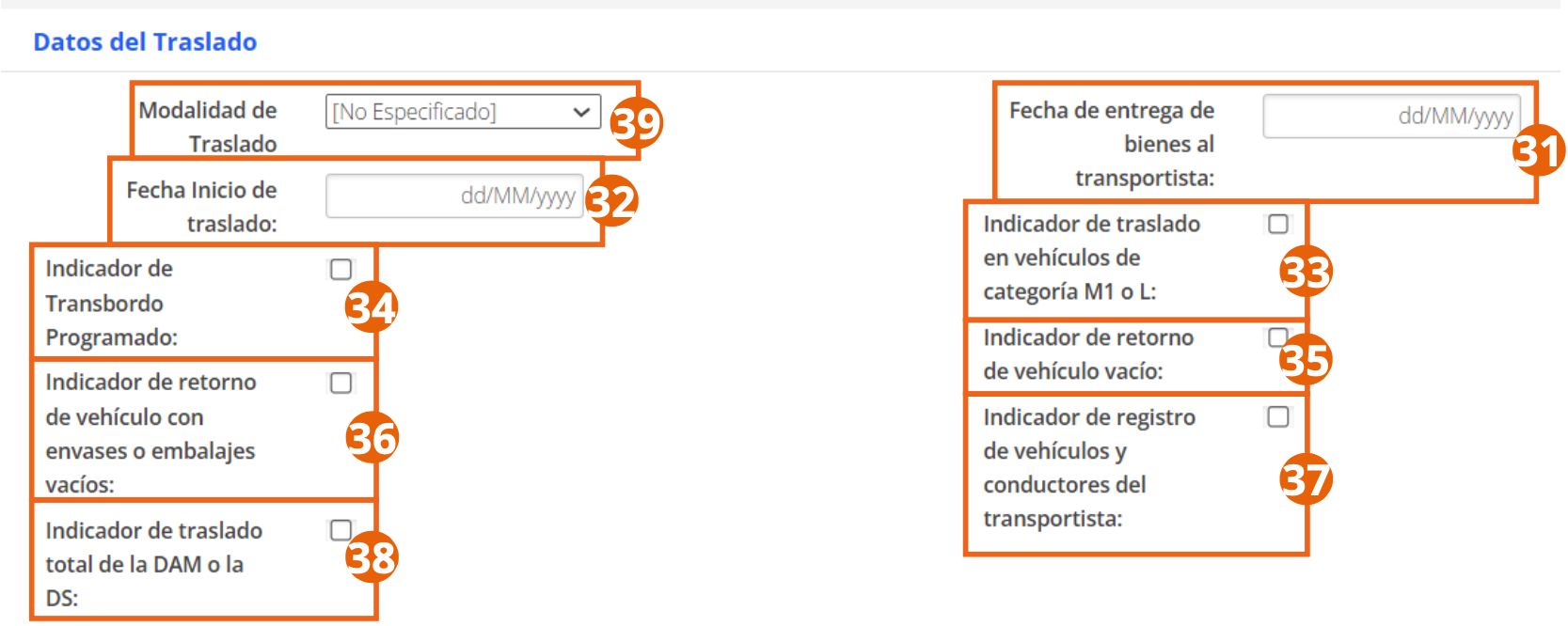
- Transfer Method: Private transport (when the owner transfers the goods with their own vehicles) or Public transport (when a carrier is hired).
- Transfer start date: date the transfer begins.
- Date goods are handed over to the carrier: date the sender hands over the goods for transfer.
- Scheduled Transshipment Indicator, Indicator of vehicle return with empty containers or packaging, Indicator of transfer in category M1 or L vehicles, Indicator of empty vehicle return, and Indicator of carrier vehicle and driver registration: check the boxes that apply.
- Indicator of total transfer of the DAM or the DS: check this if it corresponds to the total transfer of the Customs Declaration of Goods or the Simplified Declaration.
Once you select Public transport as the transfer method, the carrier's data is displayed:

- Carrier's RUC, name or legal name, and their registration number with the Ministry of Transport and Communications.
The Carrier Data field group is displayed only when Public transport is selected as the transfer method.
Special authorization data for cargo transfer
If the cargo type requires special authorization, select the entity that issues it and enter the authorization number:

Main Vehicle

- Vehicle plate number and Single Electronic Circulation Card or Vehicle Habilitation Certificate.
- Entity issuing the special authorization and Vehicle special authorization number, if the vehicle requires it.
If you have one or more scheduled transshipments, click + to enter the data of the other vehicles.
Main Driver

- Driver's identification document type and number.
- First Name(s) and Last Name(s) of the driver.
- Driver's license number.
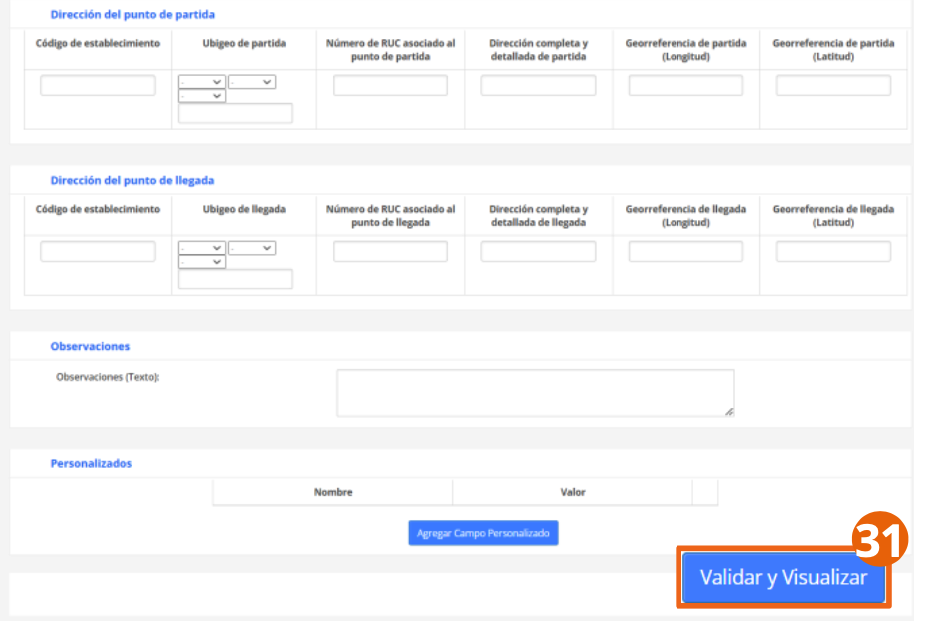
Departure and Arrival Address
If the transfer has one or more scheduled transshipments, click the + sign:

- Establishment code and Departure UbiGeo.
- RUC associated with the departure point and Complete and detailed departure address.
- Departure georeference (longitude and latitude).

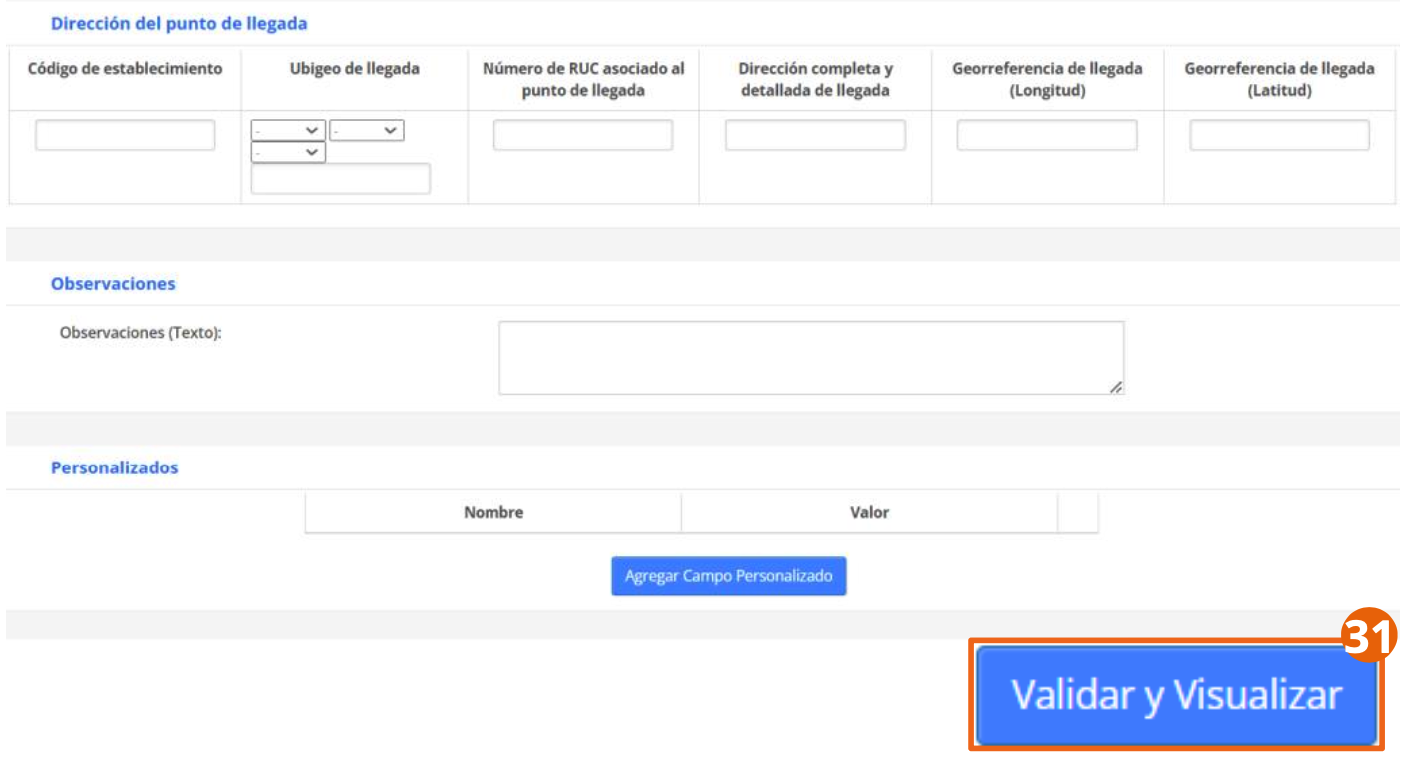
The same fields are repeated for the arrival point: establishment code, ubigeo, associated RUC, detailed address, and arrival georeference.
Comments and Custom Fields

You can add additional comments in the text box. To add custom fields about the goods being transferred, click Add Custom Field and complete the corresponding fields.

When finished, click Validate and Preview to review the complete form before issuing the delivery guide.
Carrier
This type of guide is issued by the carrier responsible for transferring the goods; one guide is issued per sender and is used when the transfer is made by public transport.
When the goods correspond to more than twenty senders, a single delivery guide can be generated indicating, within Data of the transported good, the number of the sender's guide (or of the invoice or purchase settlement that supports the transfer) and the amount of the transport service charged to each sender.
To start generating the carrier's delivery guide:

- Select Carrier in the Delivery Guide Type field.
Carrier Data
Verify your identification data as carrier:

The RUC and legal name in this screenshot correspond to the company of a test environment and were covered before publishing this manual.
Also enter your registration number with the Ministry of Transport and Communications.
Sender Data

- Document Type and Sender's identification document number: you can select it from the records previously saved in ioFacturo so the data loads automatically.
- Sender's Legal Name.
Recipient Data

- Document Type and Recipient's identification document number: you can also click the search button to load the data of a recipient previously registered in ioFacturo.
- Recipient's Legal Name.
- If the recipient is the same as the sender, click the checkbox so the data loads automatically.
The Related Document and Goods to Transport sections are completed the same way as in the Sender flow, including the unit of measure to calculate the good's weight:

Transfer Data and Freight Payer
Complete the transfer indicators the same way as in the Sender flow. Additionally, indicate whether the freight payer will be the sender itself, a subcontractor, or a third-party payer:
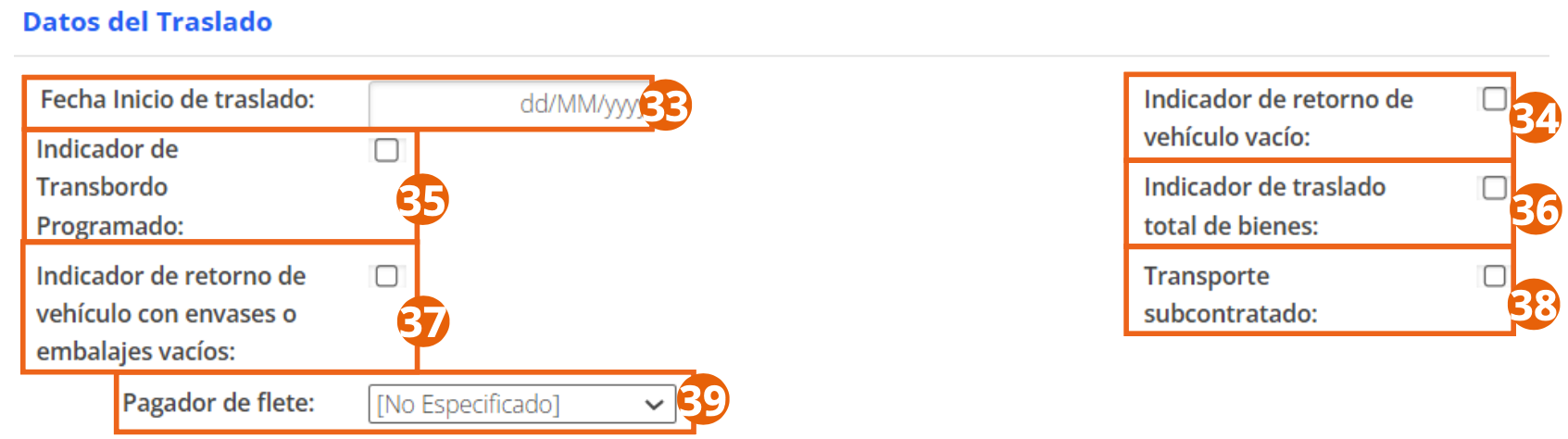
If you select Third-Party Payer, the following field group is displayed:

- Document Type and Payer's identification document number.
- Payer's first and last name, denomination, or legal name.
To add another payer, click Add Payer; to remove the row, click the delete button.
The Main Vehicle, Main Driver, Departure and Arrival Address, and Comments and Custom Fields sections are completed the same way as in the Sender flow. When finished, click Validate and Preview to review the complete form before issuing the delivery guide.
Register your catalogs of establishments, customers, series, and products from Administration, or check the Specific Operations if your document requires special treatment.