The Spanish version is the authoritative reference. View in Spanish
Specific Operations
There is a series of operations through which you can issue DTE that cover specific SUNAT requirements: detractions, withholdings, credit payment, lodging benefit, and tourist package.
Sales Invoice with Detractions
To issue a document subject to detraction, select Operation Subject to Detraction in the Operation Type field, within the Document Data section:
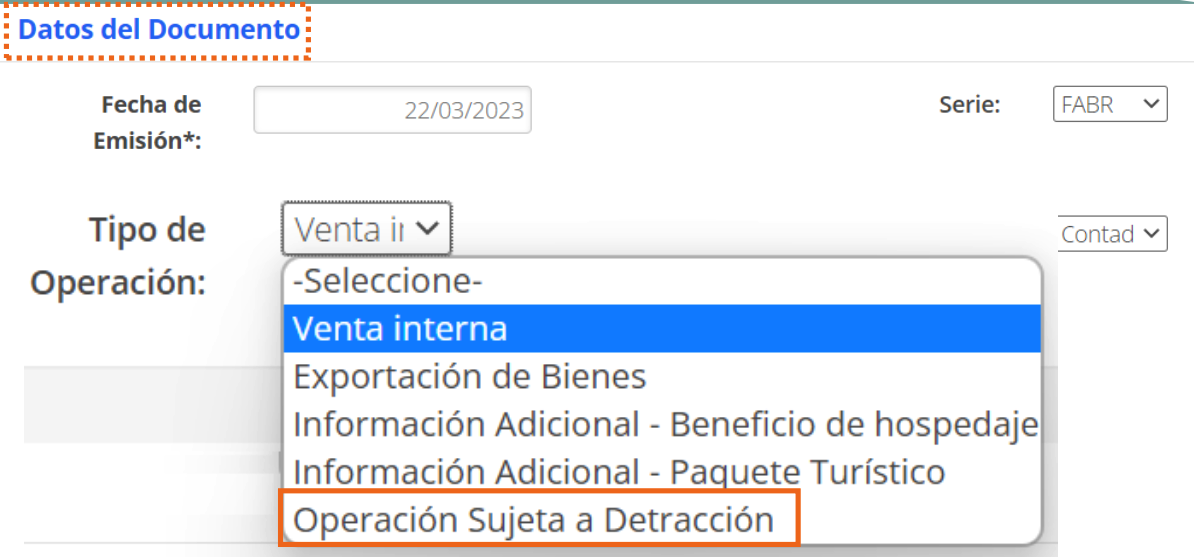
When you select this operation type, the Detractions section is displayed, under the Global Discounts and Charges section:

The account number in this screenshot corresponds to a test environment and was covered before publishing this manual.
- Payment Method: select it from the drop-down list.
- Banco de la Nación Account Number: account to which the transaction will be made.
- Good or Service subject to detraction: good or service affected by the detraction.
- Rate or percentage: according to the operation being registered.
- Amount: amount to be recorded for the detraction.
When you issue an invoice with this operation type, the document's graphic representation will show the recorded detraction data. You can also complete these fields from Additional Information.
A detraction receipt can occur on a sales receipt, invoice, or debit note. In the case of the debit note, check the Subject to Detractions box so the Detractions section is displayed:
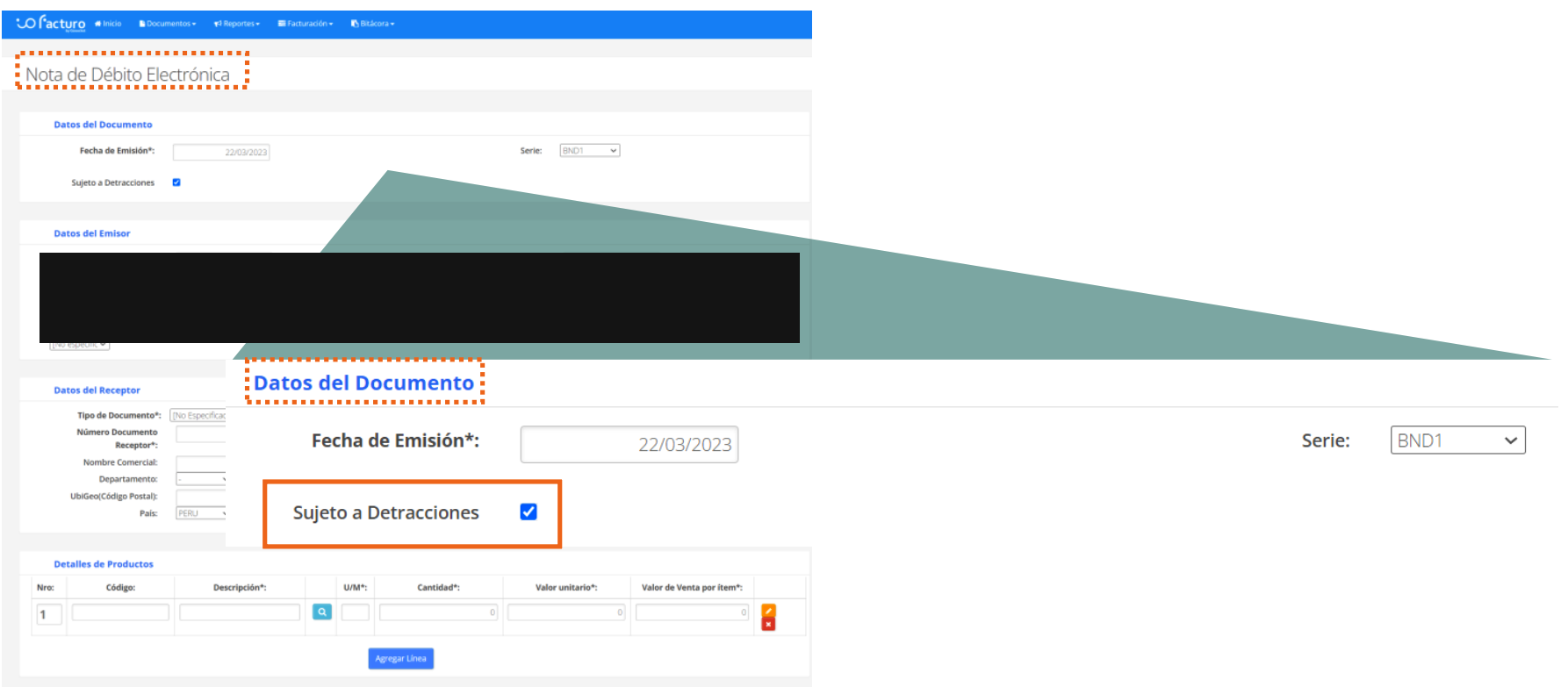
The RUC, legal name, and tax address in this screenshot correspond to the company of a test environment and were covered before publishing this manual.
Operations with Withholdings
You can perform operations with withholdings by selecting Domestic Sale in the Operation Type field, within the Document Data section. Then, select IGV Withholding in the Global Discounts and Charges section:

When you choose IGV Withholding, you must enter:
- Factor: percentage on which the withholding will be calculated — in the case of IGV withholdings, 3% on the taxable base.
- Base Amount: displayed automatically and used for the calculation.
- Amount: calculated automatically as the result of multiplying the Factor by the Base Amount.
When you click Validate and Preview, the document preview is displayed with the withholding information.
Payment Type
When you select Credit in the Payment Method field of the Document Data section:
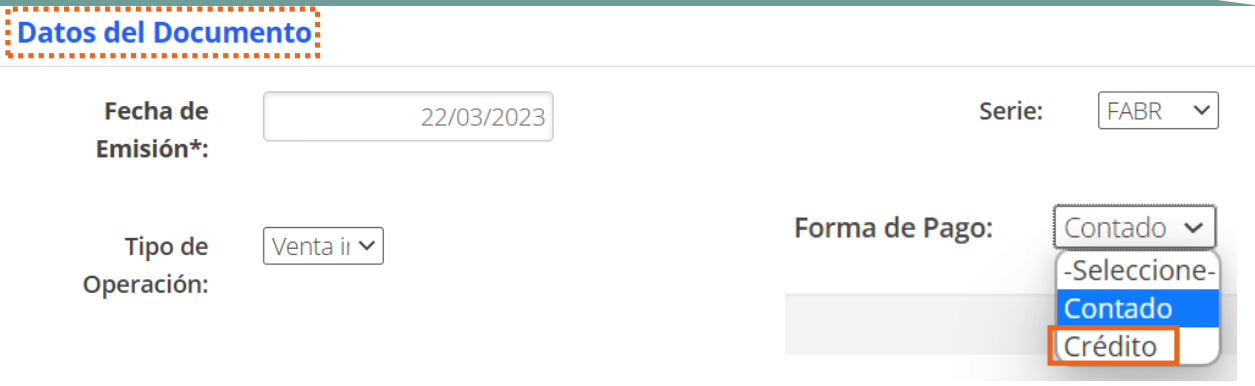
The following fields are displayed:
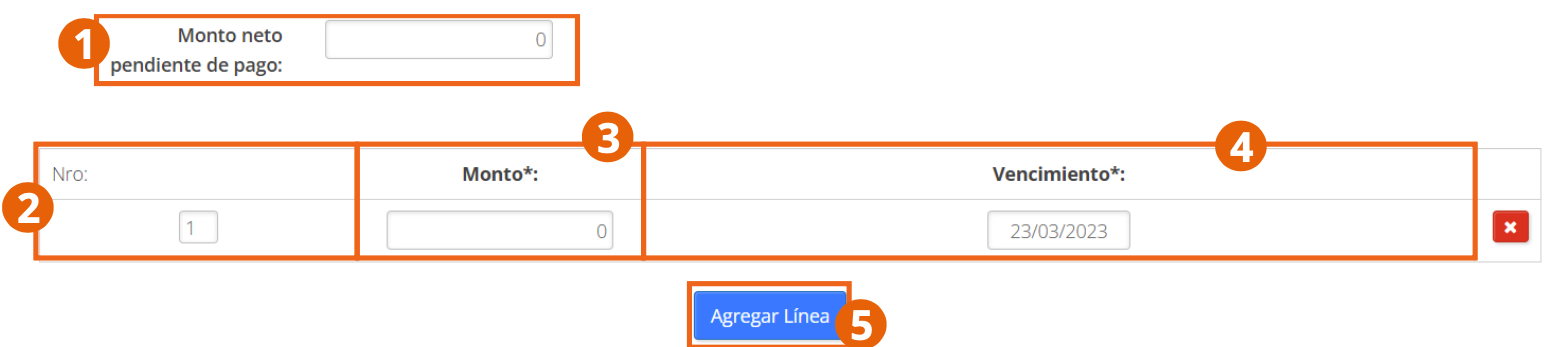
- Net amount pending payment: displayed automatically — the total minus any applicable withholdings or detractions.
- No.: row of the installment or payment in which the commercial transaction will take place.
- Amount: amount of the installment to be paid. If there is more than one installment, manually calculate the amount so it does not exceed the net amount pending payment; otherwise, validation will return an error.
- Due Date: due date of the corresponding installment.
You can add more than one installment by clicking Add Line.
Operations with Lodging Benefit
To issue a document with this operation type, select Additional Information – Lodging Benefit in the Operation Type field:
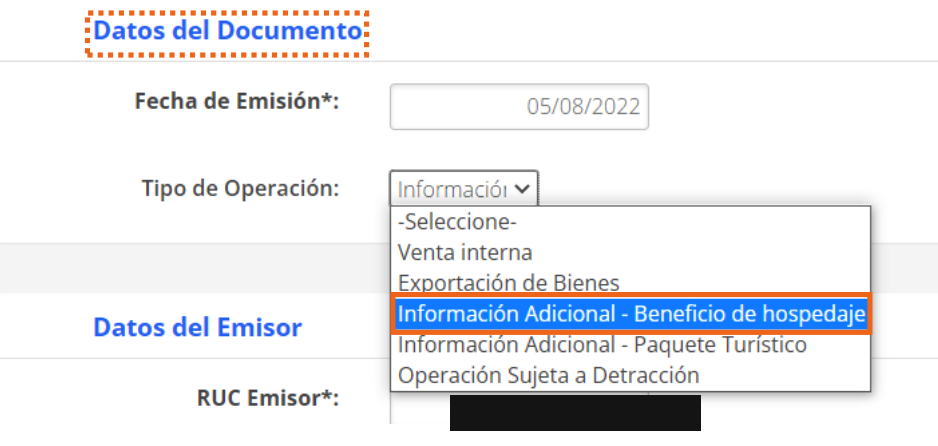
The RUC in this screenshot corresponds to the company of a test environment and was covered before publishing this manual.
This operation type is only for non-domiciled or foreign receivers.
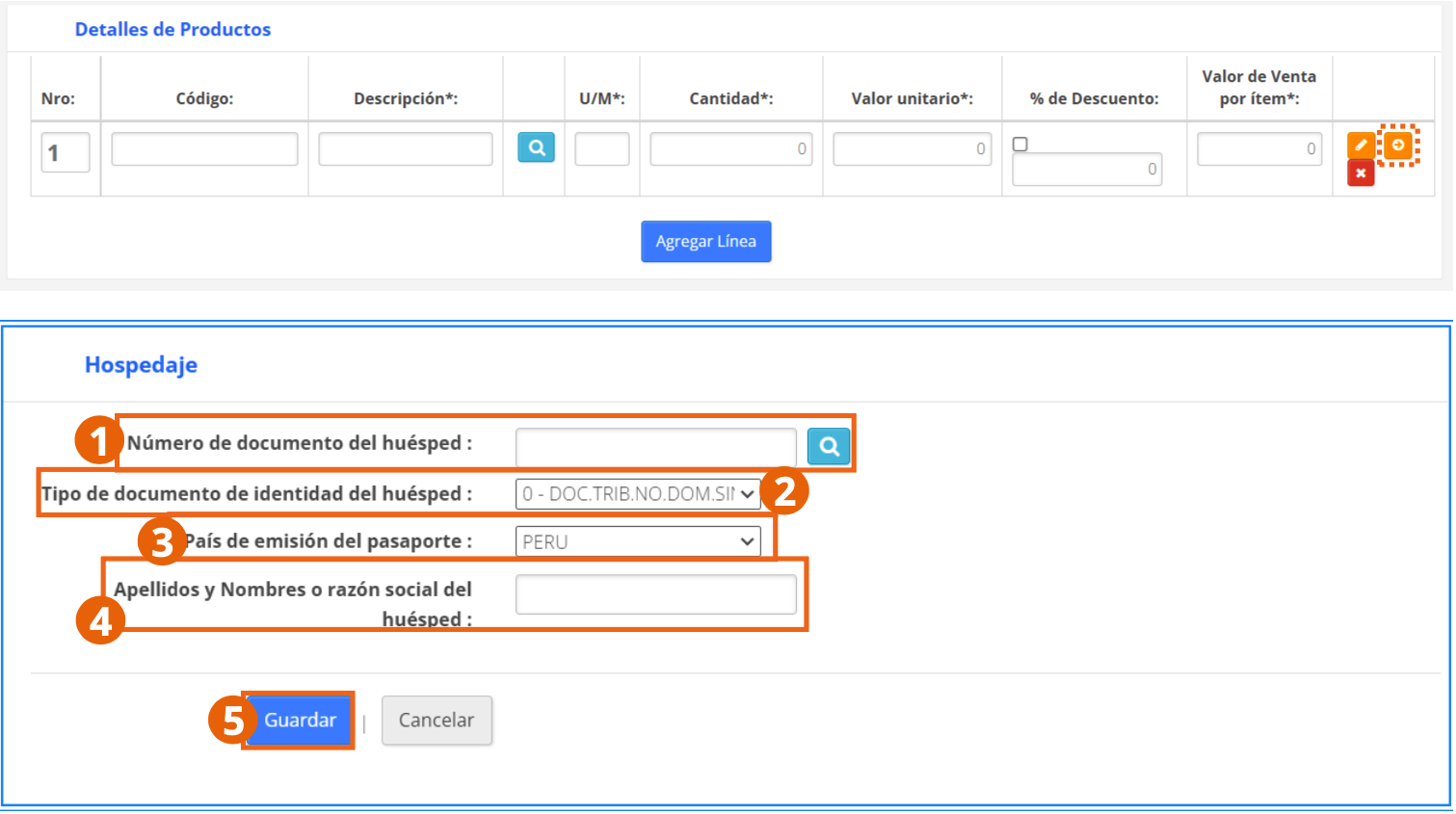
Within the Product Details section, an arrow-shaped button is displayed:
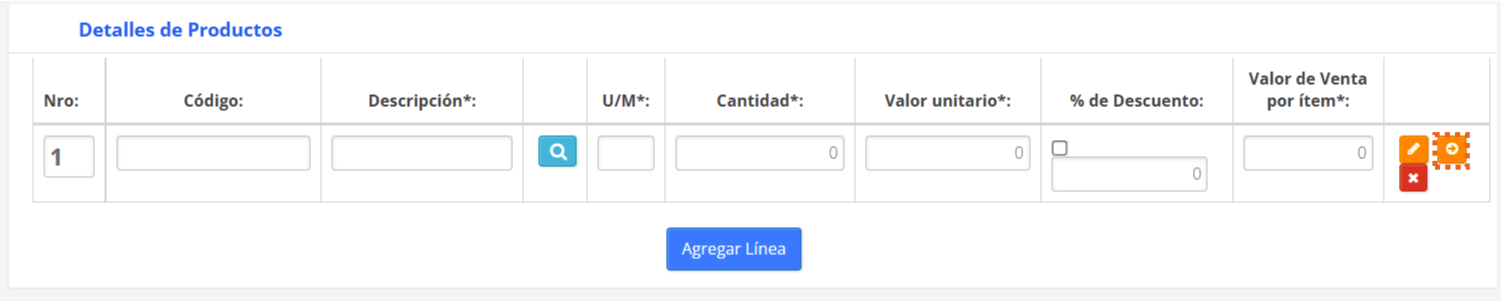
Clicking the arrow icon expands the following information:
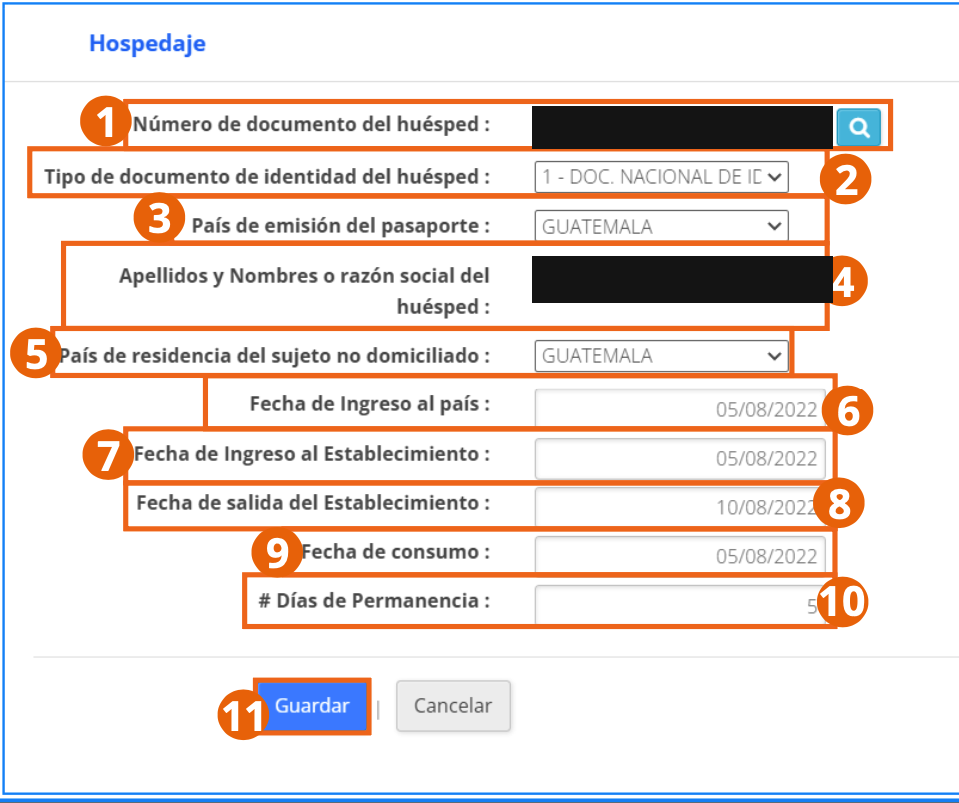
The guest's document number and name in this screenshot correspond to a real person and were covered before publishing this manual — they are not sample product data.
- Guest's document number: you can click the magnifying glass to identify guests already stored.
- Guest's identity document type: for example, national identity document.
- Passport issuing country and Country of residence of the non-domiciled subject.
- Guest's last name(s) and first name(s) or legal name: as it appears on their identification document.
- Country entry date, Establishment check-in date, Establishment check-out date, and Consumption date.
- # Days of Stay: number of days of stay at the establishment.
To finish, click Save.
Additional Information Operation – Tourist Package
To issue a document with this operation type, select Additional Information – Tourist Package in the Operation Type field:
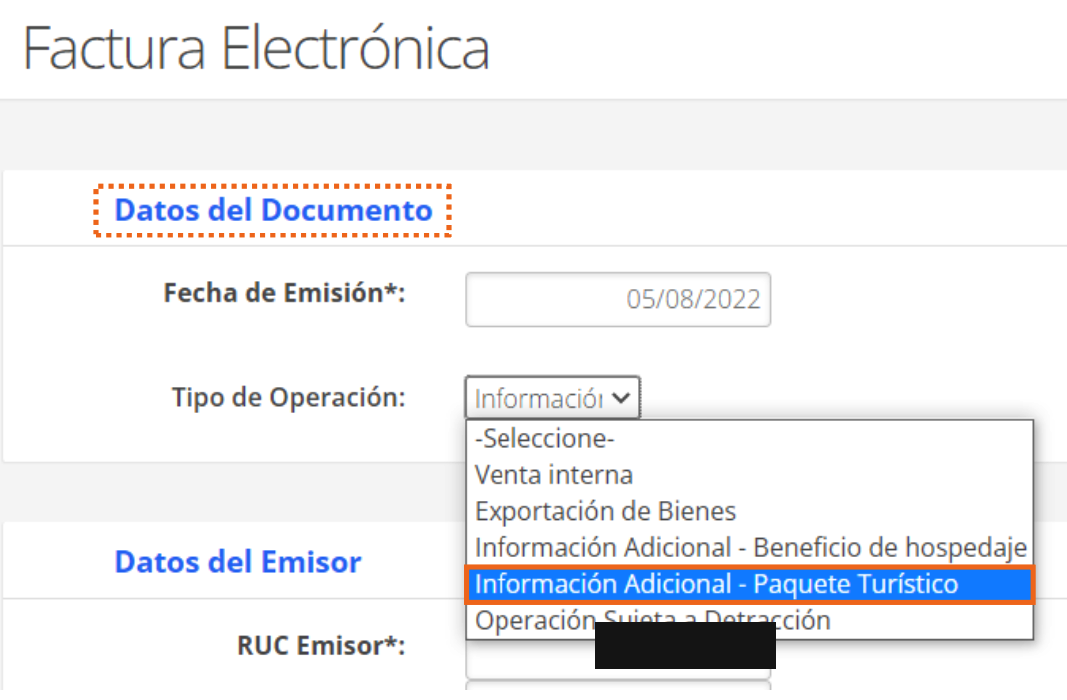
The RUC in this screenshot corresponds to the company of a test environment and was covered before publishing this manual.
This operation type is only for non-domiciled or foreign receivers.
In the Product Details section, the same arrow button appears; clicking it expands the guest's information:
- Guest's document number: you can click the magnifying glass to identify guests already stored.
- Guest's identity document type and Passport issuing country.
- Guest's last name(s) and first name(s) or legal name: as it appears on their identification document.
To finish, click Save.