The Spanish version is the authoritative reference. View in Spanish
Documents
Within the Documents module, you can query relevant information about documents issued from ioFacturo Inbox, as well as manage their synchronization with Inbox, download each document, and view its preview.
Search Documents
- To access this module, click Documents from the ioFacturo Inbox menu.
- The module has a group of filters to locate the documents you want to query:
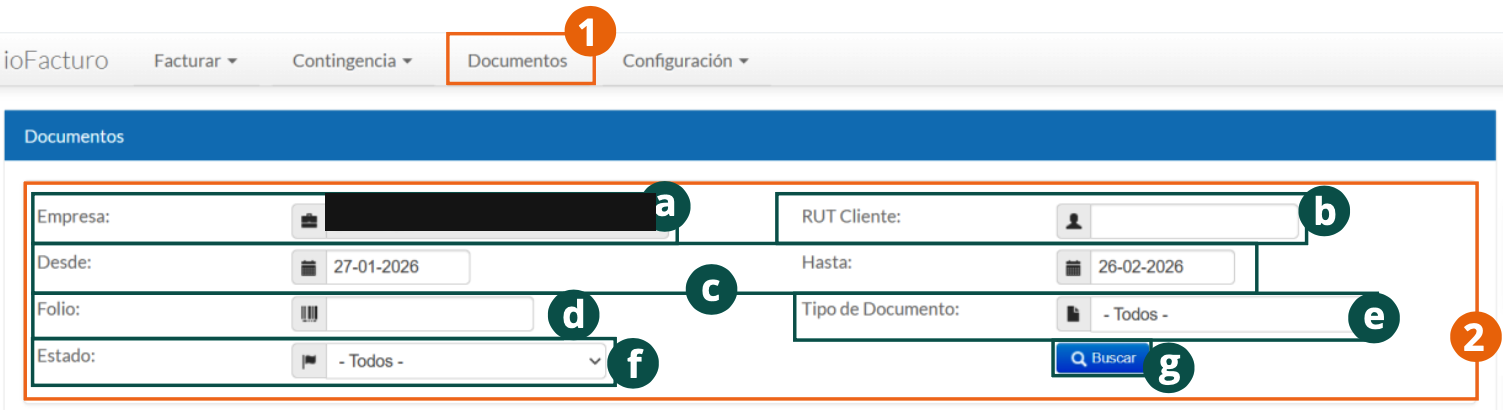
- Company: informational field with the name of the company from which the query of issued documents is made.
- Customer RUT: tax identifier of the customer that appears as the receiver of the document or documents to locate.
- From and To: select the period in which the document will be searched.
- Folio: enter the document's folio.
- Document Type: you can specify the type of document you want to query.
- Status: you can also filter by document status: approved, rejected, or archived.
- Click Search to see the results.
Search Results
The following information and options are then displayed:
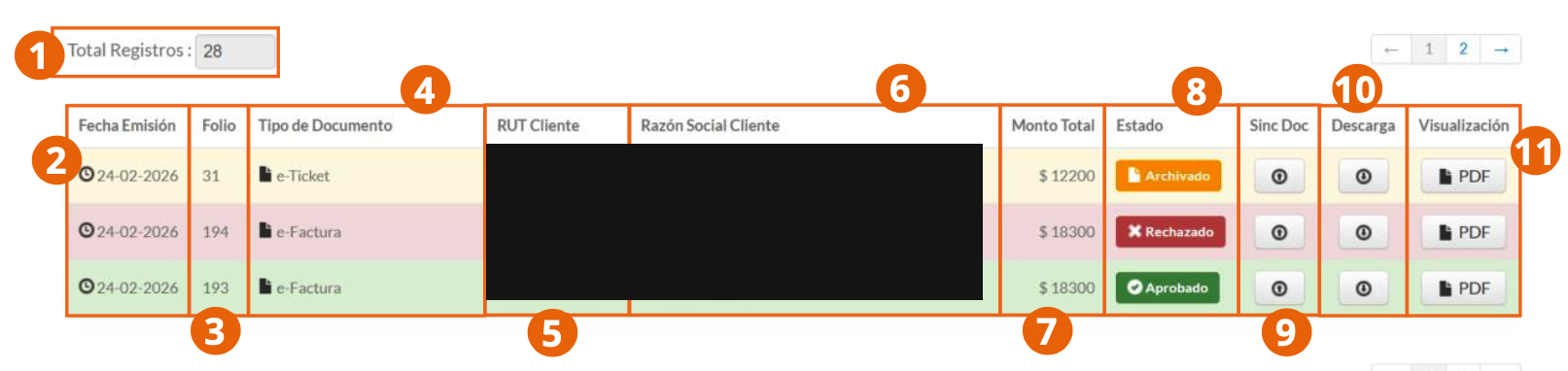
- Total Records: total number of records found according to the selected filters.
- Issuance Date of the document.
- Folio assigned to the document.
- Document Type.
- Customer RUT: tax identifier of the receiver.
- Customer Legal Name: legal name that identifies the document's receiver.
- Total Amount: amount of the document's value.
- Status of the document.
- Sync Doc: manual synchronization of the document for its management from Inbox.
- Download of the document's XML.
- Display: query the document's preview through a PDF.
Product Variant
Synchronization sends the document to Inbox, Gosocket's central document manager, where you can continue managing it outside of ioFacturo Legacy.