The Spanish version is the authoritative reference. View in Spanish
Login
Sign-in to the private portal is done in two steps: first the email address, then the password.
Step 1: Email address
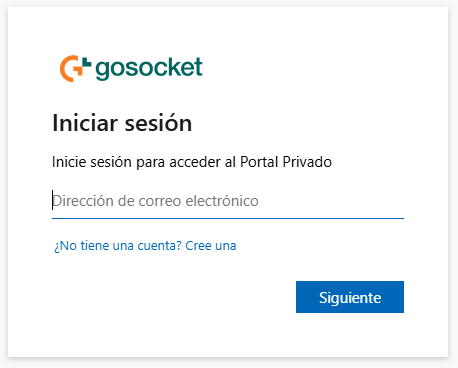
AtributoTipoDescripción
Email addressTextEmail of the account registered in the OSE.
Don't have an account? Create oneLinkTakes you to the Registration screen.
NextButtonValidates the email and advances to the password step.
Step 2: Password
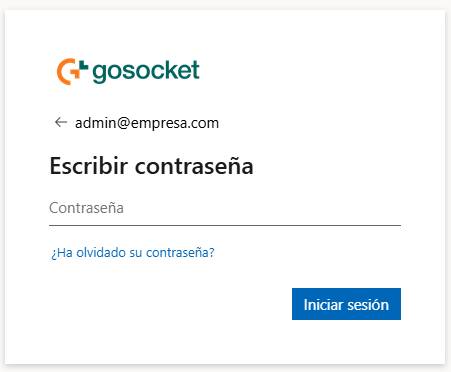
AtributoTipoDescripción
Email (header)TextShows the email entered in the previous step. The "←" arrow allows going back to change it.
PasswordTextAccount password.
Forgot your password?LinkTakes you to the Password Recovery screen.
Sign inButtonValidates the credentials and signs in.
Validation errors
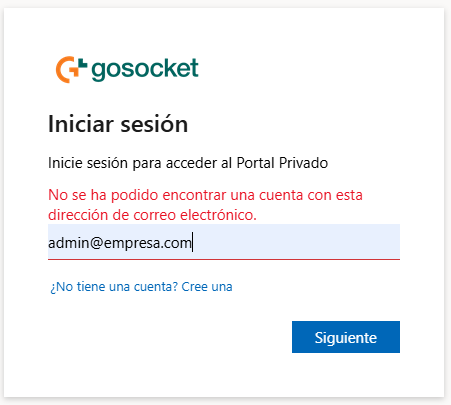
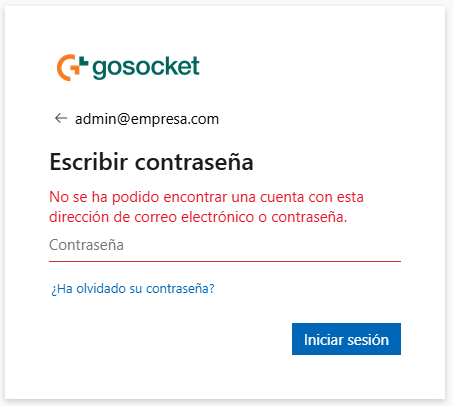
Email not found
We could not find an account with this email address.Incorrect password
We could not find an account with this email address or password.info
The incorrect password message is generic: it does not confirm whether the email or the password is wrong, for security reasons.
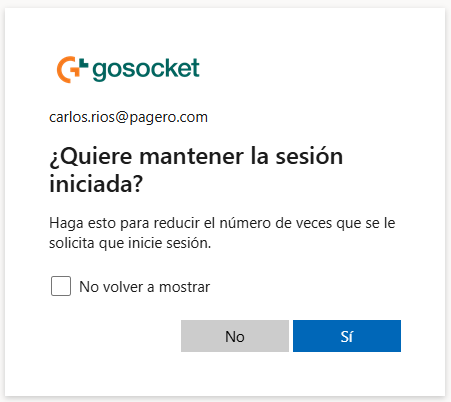
Stay signed in
After a successful authentication, a screen appears to decide whether to stay signed in:
AtributoTipoDescripción
Don't show againCheckboxPrevents this screen from appearing again on future sign-ins.
NoButtonDoes not stay signed in.
YesButtonStays signed in, reducing how often you are asked to sign in again.
Upon confirming either option, the portal loads and displays the Dashboard.