The Spanish version is the authoritative reference. View in Spanish
Certificate upload
Factor integrates with Gosocket's certificate service and retrieves the digital certificates configured for your company. If none is valid or none has assignment permissions, you can upload a new one from the Certificates tab.
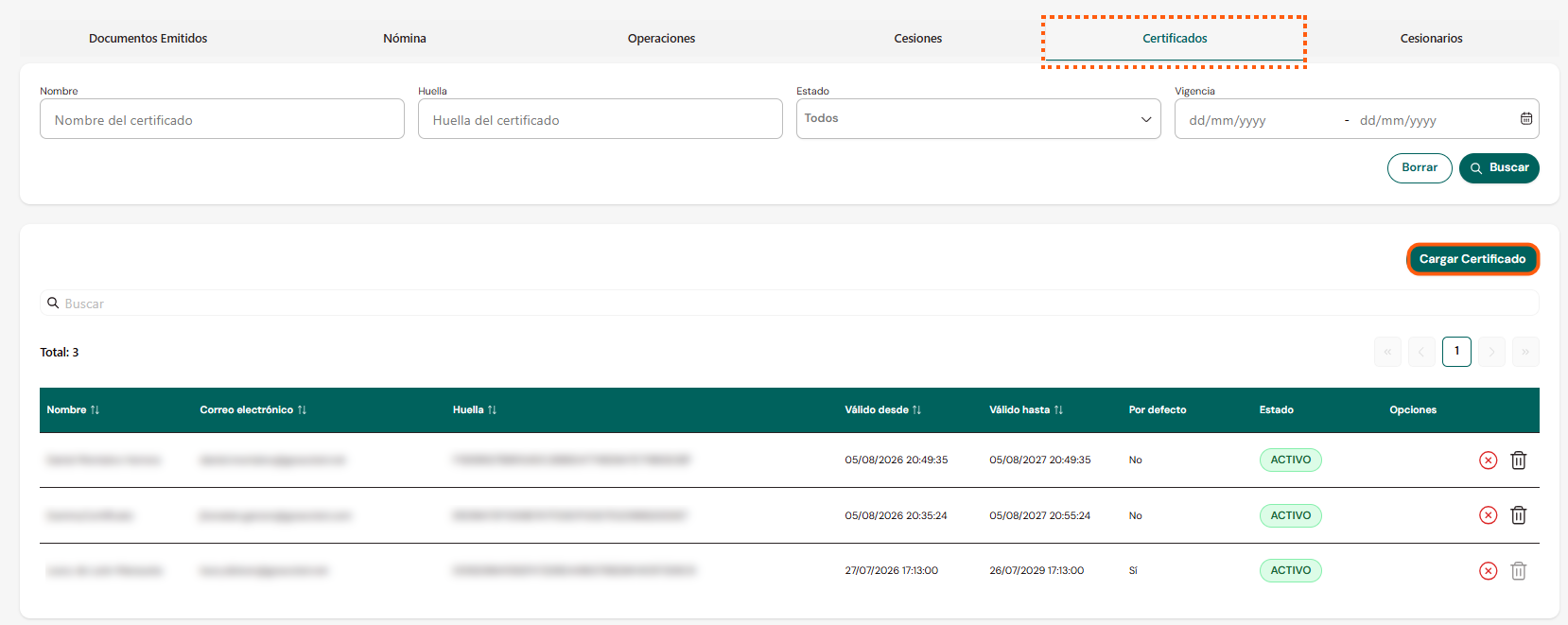
Certificate information
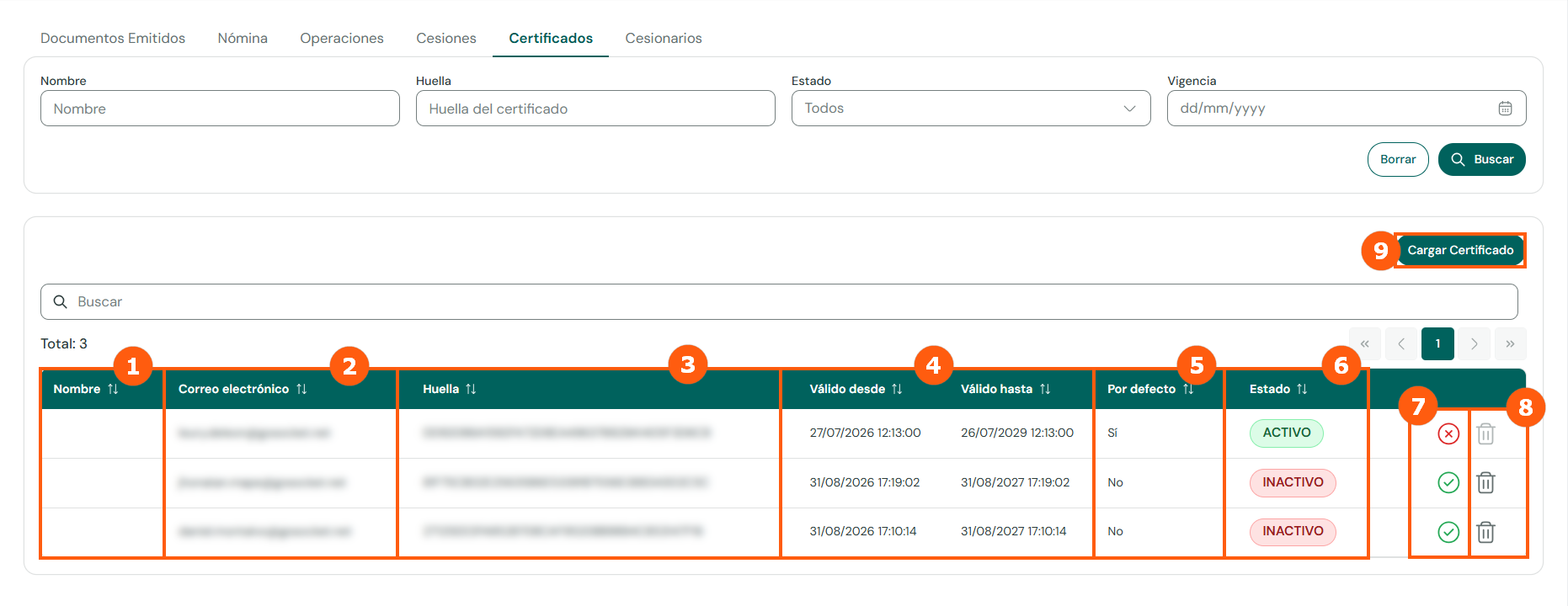
1. Name
Certificate holder.2. Email
Email of the certificate holder.3. Fingerprint
Digital fingerprint of the certificate.4. Validity
Valid from / valid until.5. Default
Certificate used by the Factor module by default.6. Status
Active or Inactive.7. Activate / deactivate
Changes the certificate status.8. Delete
Deletes the certificate.9. Upload Certificate
Opens the form to register a new certificate.Uploading a certificate
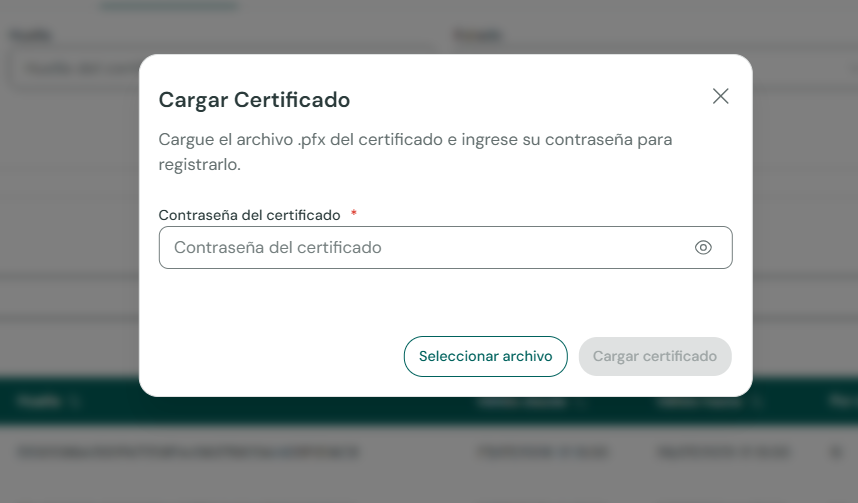
- Enter the certificate password.
- Click Select file and choose the
.pfxfile from your computer. - Click Upload certificate.
Assignment permissions at the SII
The digital certificate must have assignment permissions on the SII portal. You are responsible for verifying this condition when choosing the certificate you will sign with, to avoid SII rejections.