The Spanish version is the authoritative reference. View in Spanish
Assignee registration
Before starting the assignment process you must register the assignees: the entities or organizations to which the tax documents will be assigned.
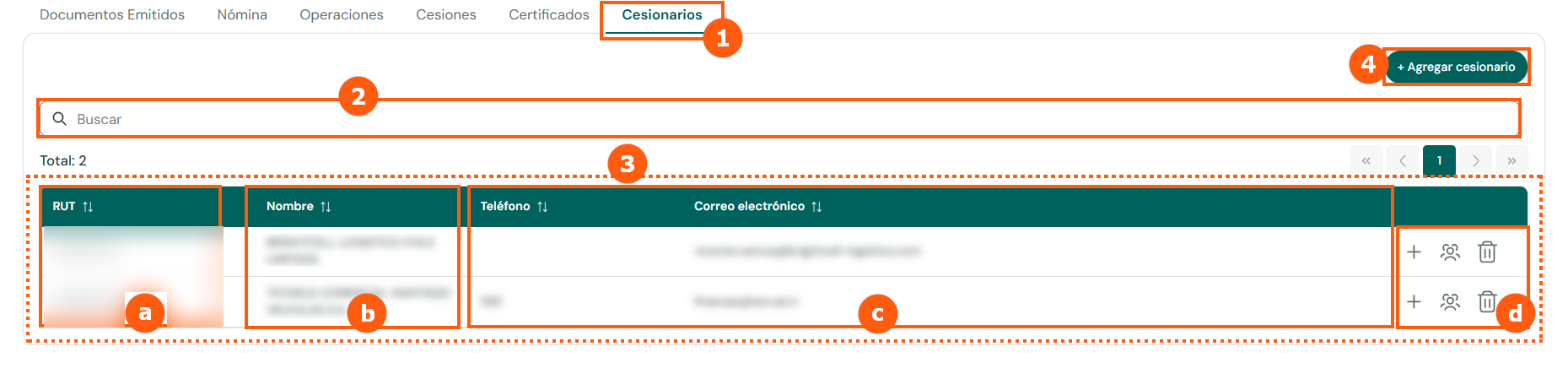
Table columns
Adding an assignee
Clicking + Add assignee opens the following form:
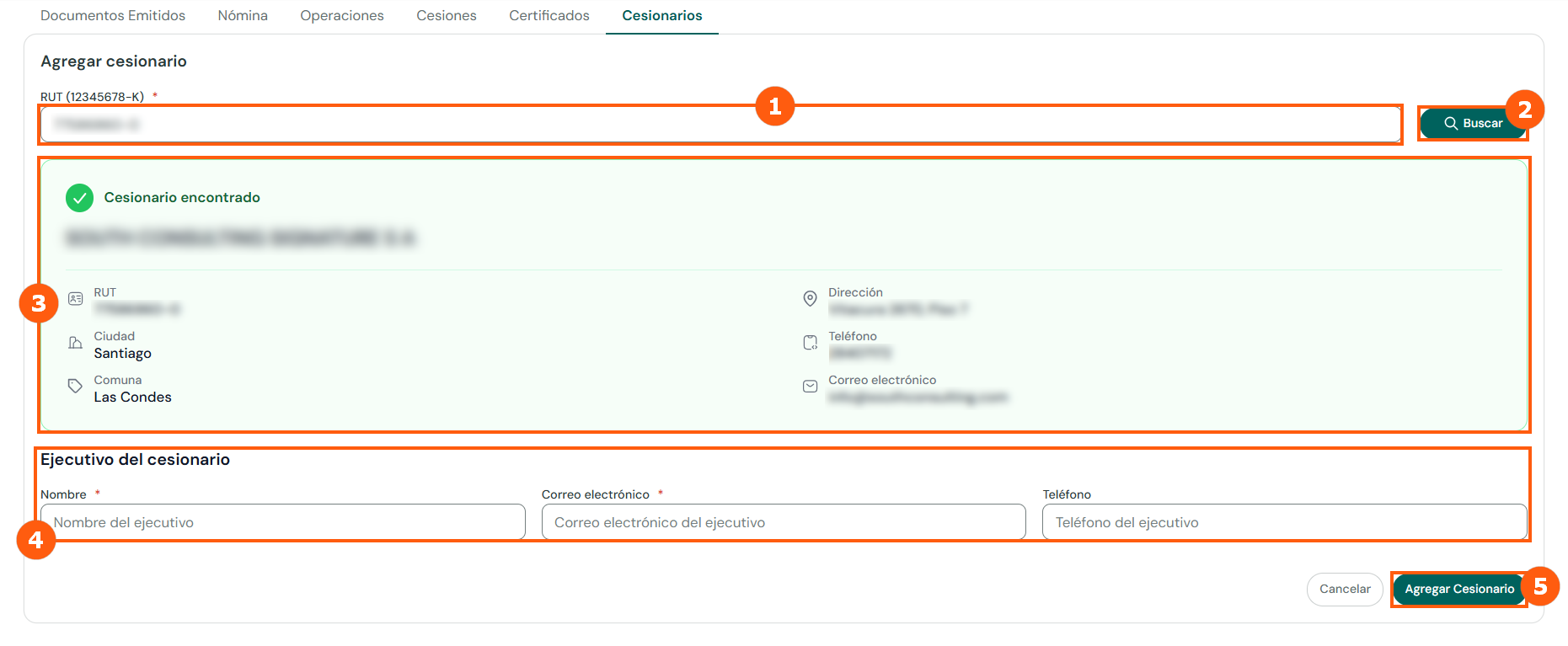
- Enter the assignee's RUT (format
12345678-K). - Click Search.
- The system shows the details of the assignee found: legal name, RUT, address, city, district, phone and email.
- Enter the details of the assignee's executive: name, email and phone.
- Click Add Assignee.
The production rollout of the module includes the migration of the assignees associated with each company in the previous Factoring+ module.
If you need to add a new assignee, the system first checks whether it already exists within the module's ecosystem (for example, as an assignee of another company). If it exists, its base information is loaded and you can only add a new contact. If it does not exist, to prevent fraud, crimes or SII rejections, request the creation of the assignee through the Gosocket help desk.