The Spanish version is the authoritative reference. View in Spanish
Payments
From this module, Payment report and Payment events are generated on documents endorsed in RADIAN.
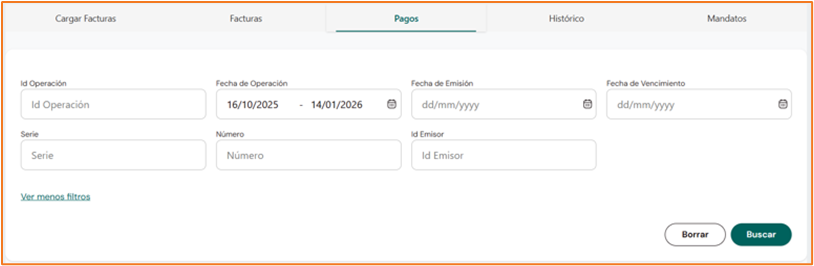
Filters
The top section has a search filter by the following criteria: operation, upload date, issue date, due date, series, number, and/or issuer NIT. Click Search to apply the filters.
Results table
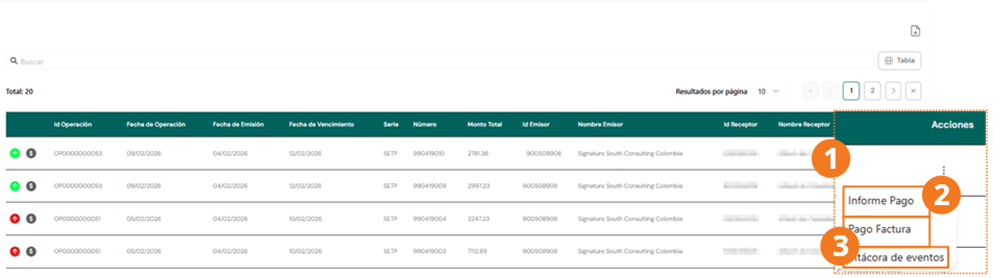
The results show the endorsed documents with the following columns:
Document statuses
| Status | Payment report (event 046) | Payment (event 045) |
|---|---|---|
| 🔘 Gray – Pending | No event 046 | No event 045 |
| 🟢 Green – Completed | Payment report registered | Payment registered |
| 🔴 Red – Error | Event generated but rejected by RADIAN | Event generated but rejected by RADIAN |
Actions
From the Actions column, two operations can be performed, plus querying the event log.
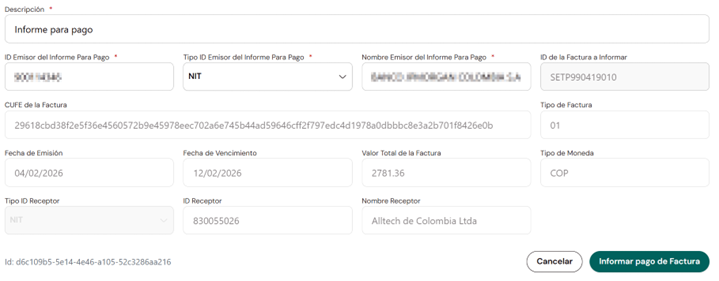
Generate payment report
When you click this option, the corresponding form is displayed:
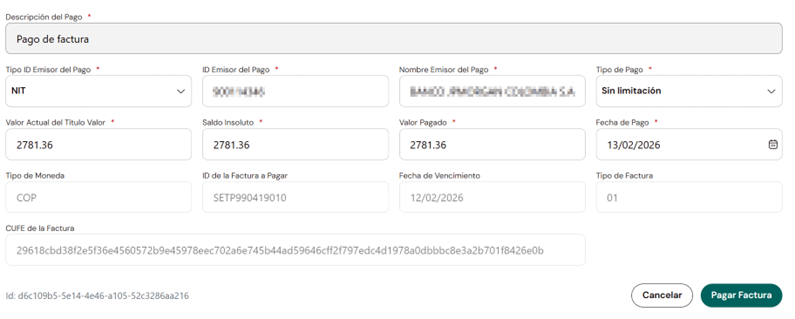
Generate payment
Complete the following form to register the payment event (045):
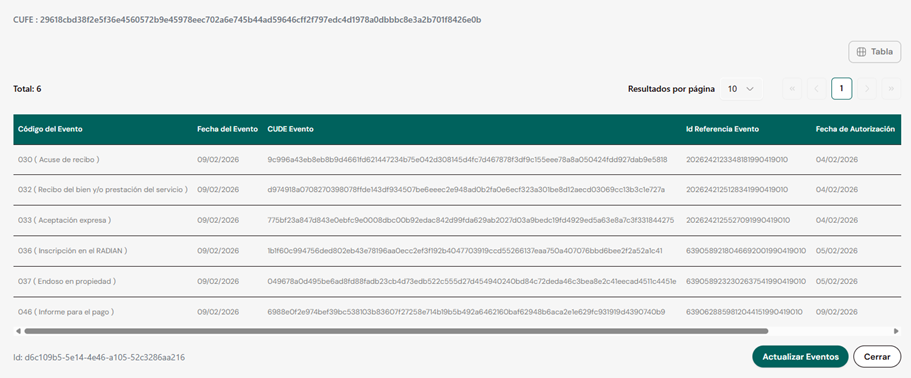
Event log
Shows the history of events the document has gone through:
Once the document has the Payment (045) event, the process ends and the document becomes available in the History section.