The Spanish version is the authoritative reference. View in Spanish
Configuration
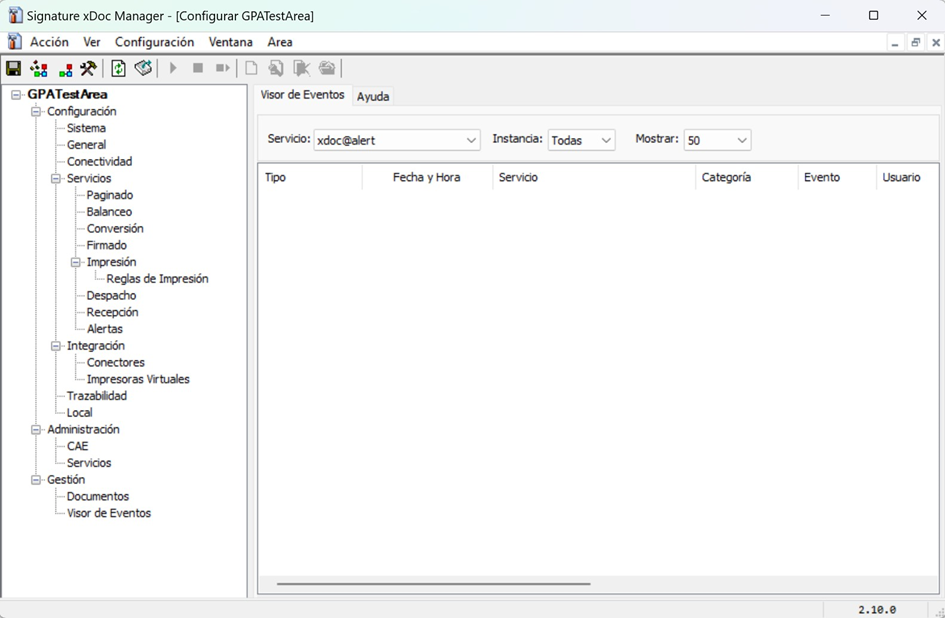
This guide describes the configuration parameters of the xDoc Manager tree, the administration console for xDoc Global.
🖥️ System
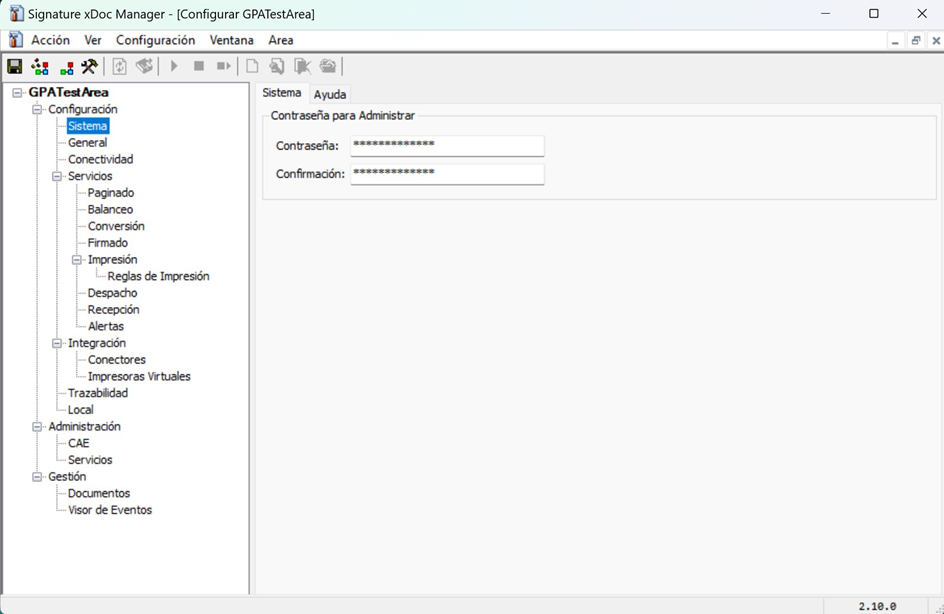
🔐 Area password
The system allows you to manage the access password for the xDoc Global area, which is unique to each area.
- Must meet strong password policies.
- It can be updated at any time.
- The change takes effect immediately on the next login attempt.
- There is no password recovery, so it must be kept by the person responsible in your company, or the default password must be maintained.
- Does not affect the Web Services password of xDoc, when integration is via Web Services.
The default area password is administrador. Change it on first use if your security policy requires it.
Losing the password prevents access to the area and requires manually recreating the configuration. There is no recovery mechanism.
🏢 General
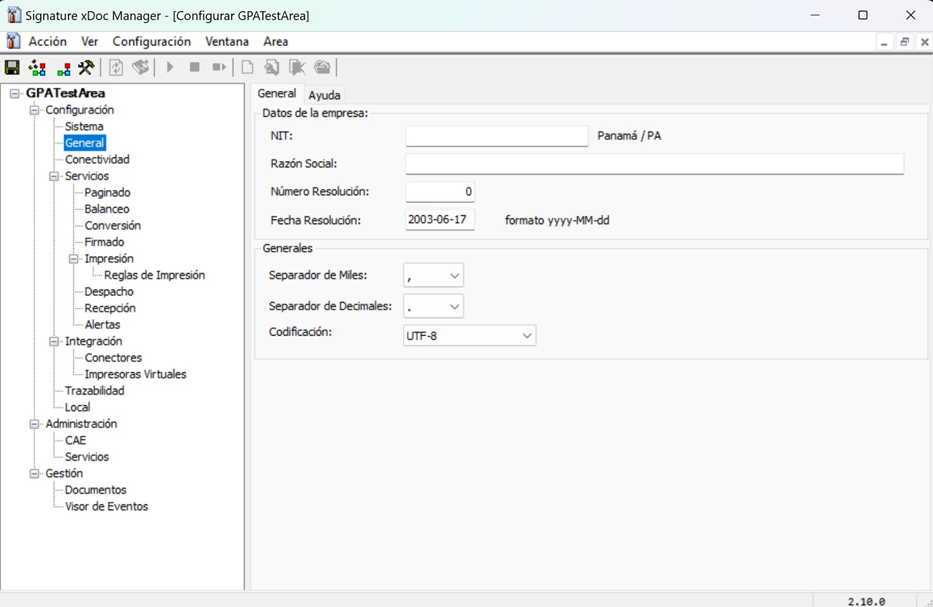
🏷️ Company data
In this section you configure the main data for the company associated with the area:
- TaxId: unique identifier assigned by the tax authority.
- Business name: the company's trade name.
- Resolution data (Chile only): date and resolution number from the SII per environment.
⚙️ General settings
- Thousands separator: according to the format of the integration file.
- Decimal separator: according to the format of the integration file.
- Encoding: defined by the encoding ("Encoding") of the integration file.
- Use integration content encoding detection: when enabled, attempts to detect the encoding based on the characters in the integration file.
- Administrator password: allows changing the area access password; you must provide the current password, and the new password must meet strong password policies.
⚙️ Services
xDoc Global runs seven independent services to process documents, from integration with the ERP through to dispatch and reception with Inbox:
Paging and balancingServiceRead path of the integration file generated by the ERP and load balancing between instancesConversionServiceConversion of the integration file to the tax format, validation and optional assignment of the folio or tax numberSigningServiceSigning of the tax document with the digital certificate.PrintingServiceBulk printing or rule-based printing, according to document valuesDispatchServiceSending documents from xDoc Global to Inbox / APIReceptionServiceDownloading received documents and messages from Inbox to xDoc GlobalAlertsServiceEmail notification on conversion, signing or other errorsPaging and balancing
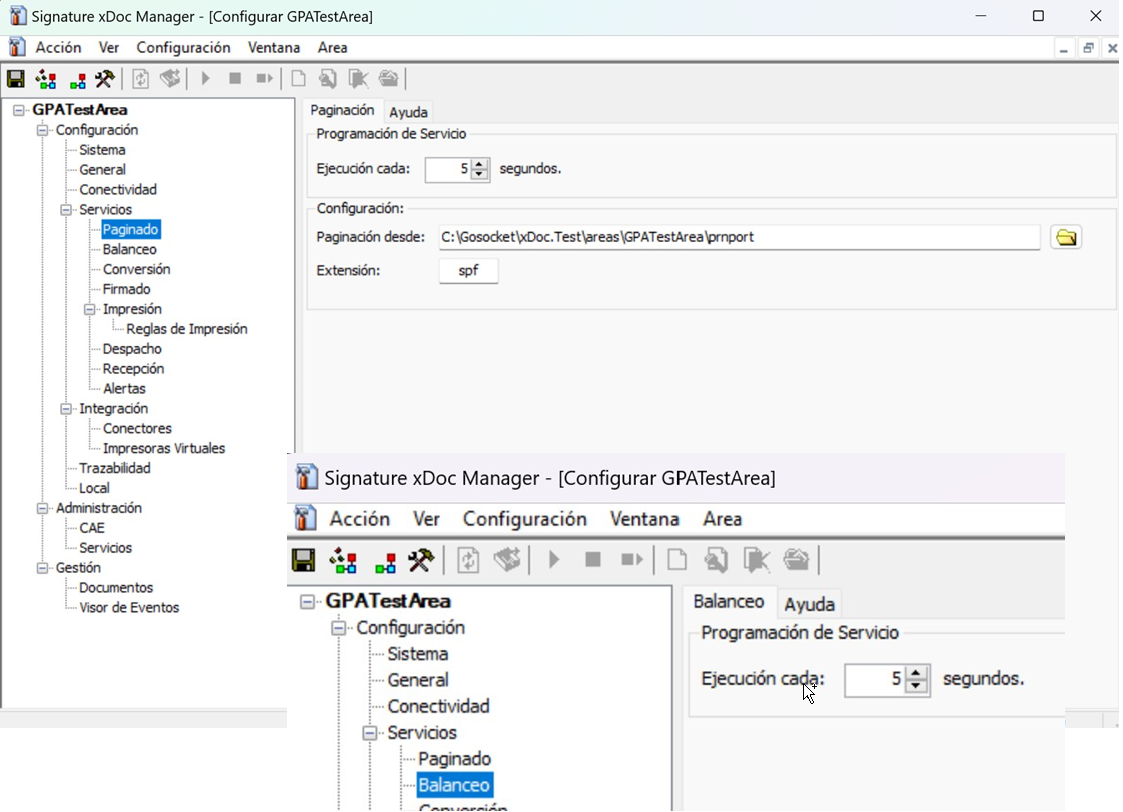
Default path: default path to the prnport directory of the area. Can be changed if your ERP deposits integration files in a different local path.
Service scheduling: recommended execution every 5 seconds (default value); also applies to the balancing service.
Configuration:
- Paginate from: folder where positional integration files are deposited.
- Extension: file extension for the integration file (e.g.
.txt).
Conversion
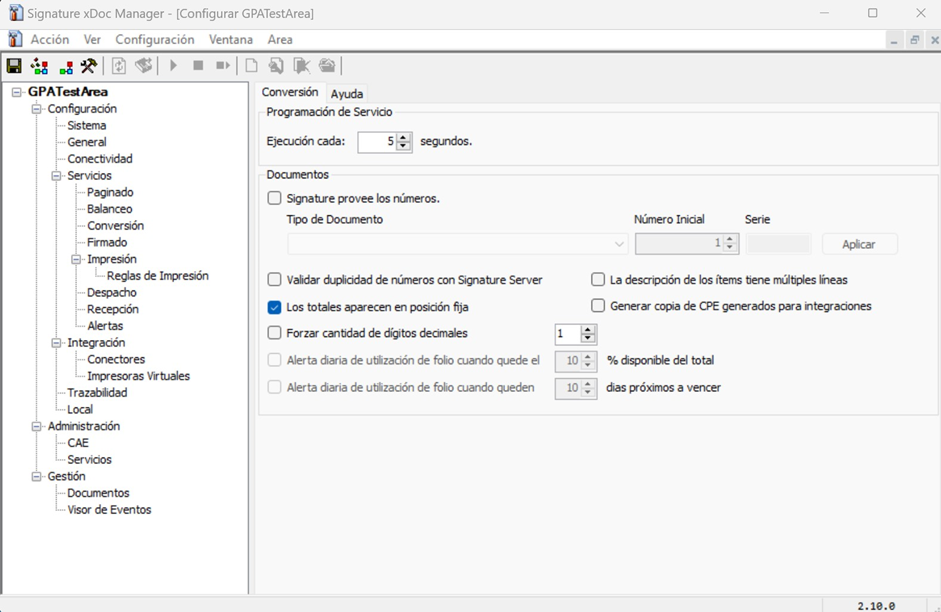
Allows defining whether the tax folio assignment/validation is performed by locality; applies globally to all document types.
Service scheduling: recommended execution every 5 seconds.
Signing
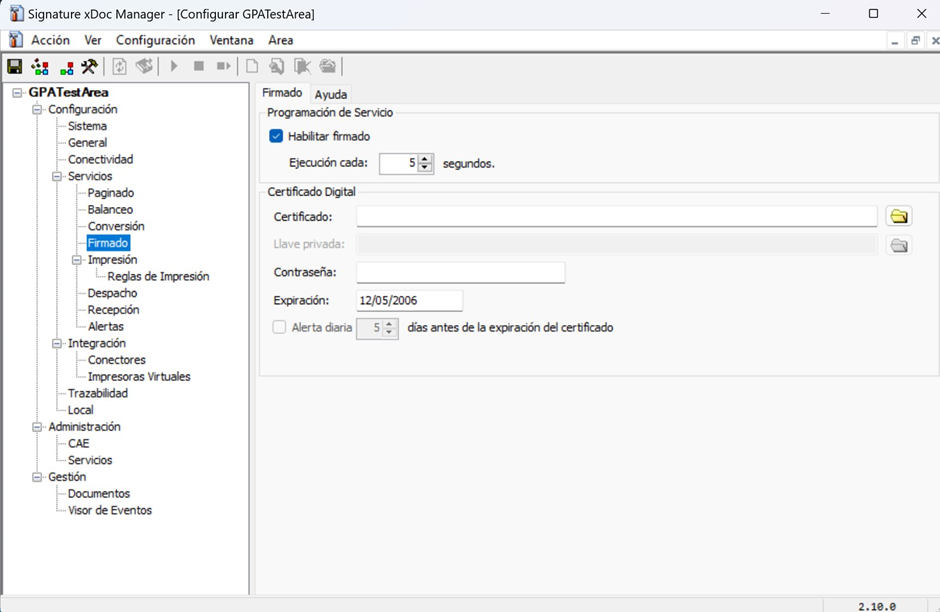
Allows configuring the path to the digital certificate used to sign electronic documents.
Service scheduling: recommended execution every 5 seconds.
Digital certificate:
- Certificate: file path and certificate name.
- Password: if applicable.
- Alert: configure days before expiration (requires the alerts feature to be enabled).
If the certificate has expired, signing will fail and you will not be able to issue tax documents.
Printing
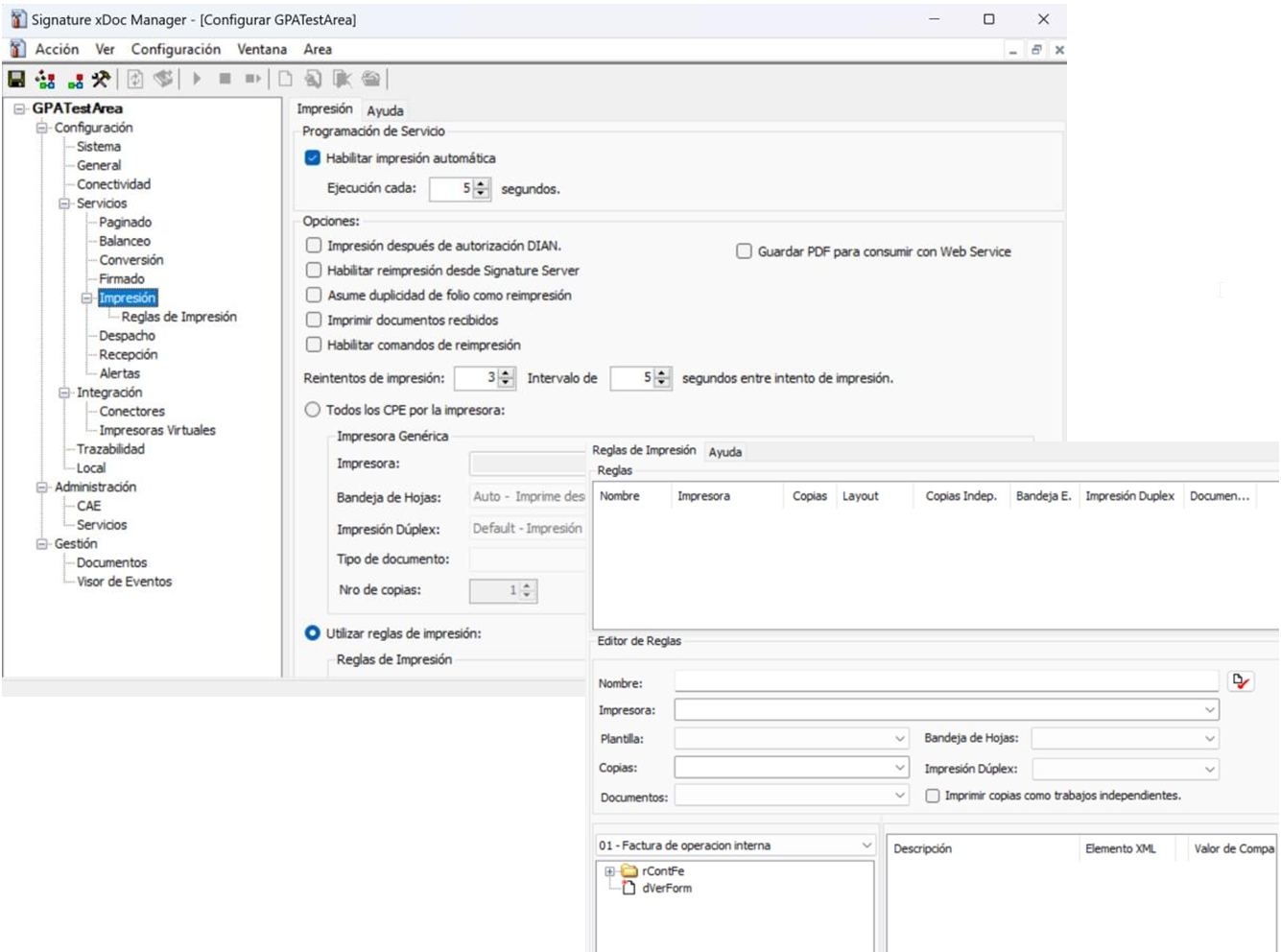
Allows using bulk printing or print rules.
- All documents per printer (bulk): simple configuration — one printer is assigned per document type.
- Use print rules: advanced configuration that allows defining rules based on document values (equal, different, etc.) and assigning different printers depending on the rule. Rules are detailed in a specific Print Rules document (outside the scope of this page).
Dispatch (xDoc Global → Inbox / API)
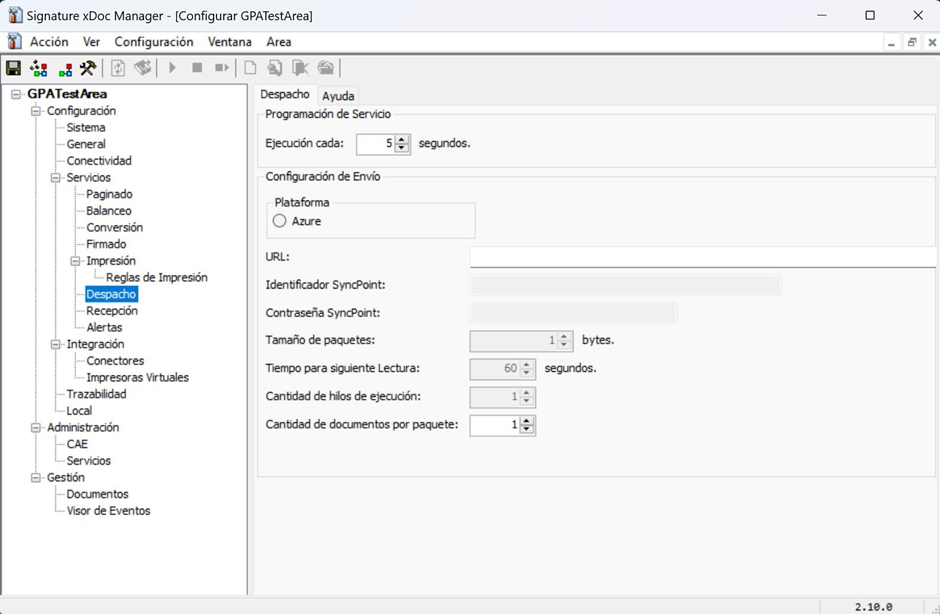
Allows configuring the dispatch of documents from xDoc Global to the Web.
Service scheduling: recommended execution every 5 seconds.
Send configuration:
- Enable Azure.
- URL: Sandbox or Production environment.
- SyncPoint identification: ID configured in Inbox.
- SyncPoint password: access credentials.
- Keep the rest of the parameters at their default values.
Reception (Inbox → xDoc Global)
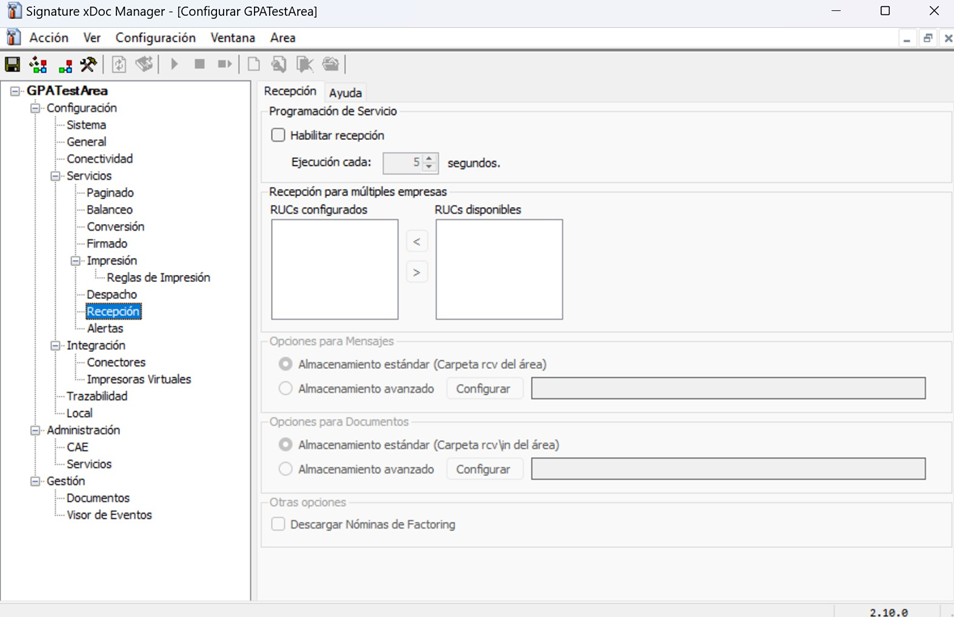
Allows downloading documents and messages from Inbox to xDoc Global. Requires prior configuration in the Administration Portal.
Service scheduling: recommended execution every 5 seconds.
Configuration:
- Enable reception.
- Select the TaxIds that will receive documents.
- Define paths for documents or messages (default or custom).
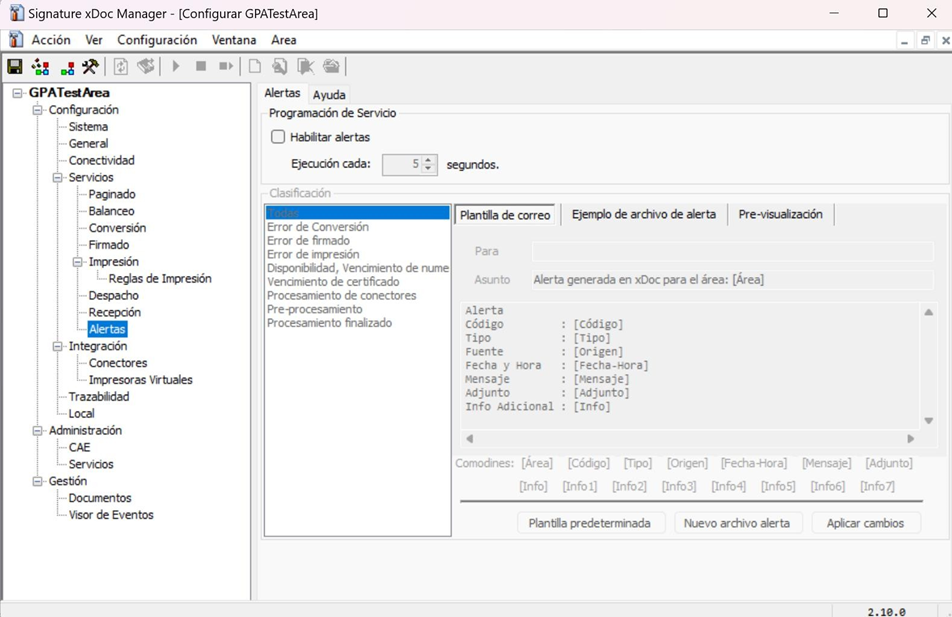
Alerts
Configures email alerts on errors (conversion, signing, among others). Requires an SMTP server provided by you.
Scheduling: recommended execution every 5 seconds.
Configuration:
- Enable alerts.
- Select events to notify.
- Enter recipients (separated by
;, without;at the end). - Apply changes and save the area.
🔌 Integration
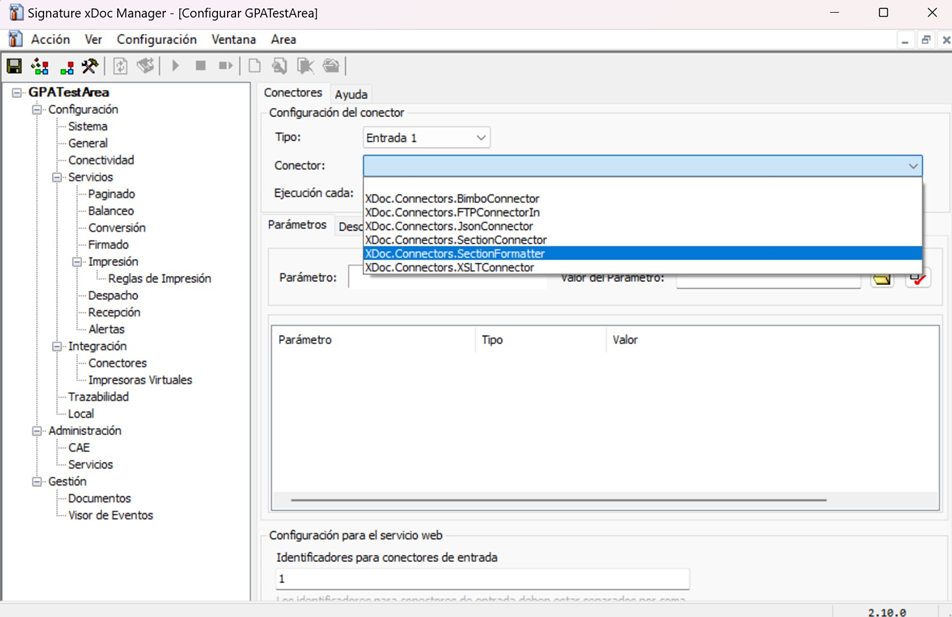
🔌 Connectors
Allows configuring connectors that run specific processes such as:
- XSLT transformation
- Positional TXT generation
- FTP/SFTP transfers
- Other integration flows
Scheduling: recommended execution every 5 seconds.
Configuration: depends on the type of connector configured.
The detailed documentation for each connector lives in a specific Connectors document (outside the scope of this page).
📝 Traceability
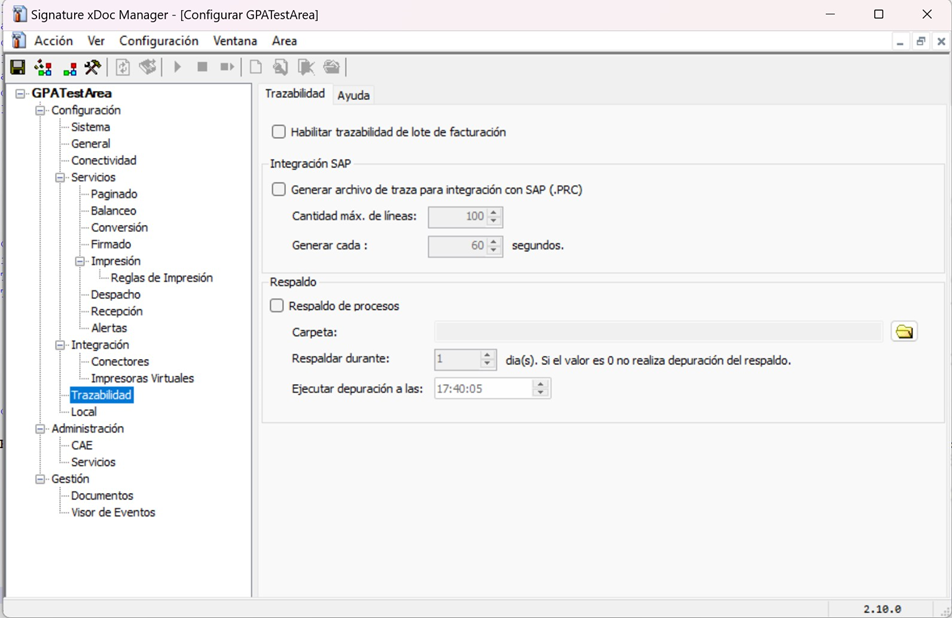
Allows keeping copies of files in selected processes.
Configuration:
- Process backup: enable.
- Folder: path where backups are stored.
- Purge:
0= do not delete files.
🌎 Local
This section only appears in localities that have specific configurations for managing tax authority requirements (for example, Paraguay). Unlike older versions of xDoc, where these parameters were directly in the configuration tree, they are now organized within tabs in the Local section.
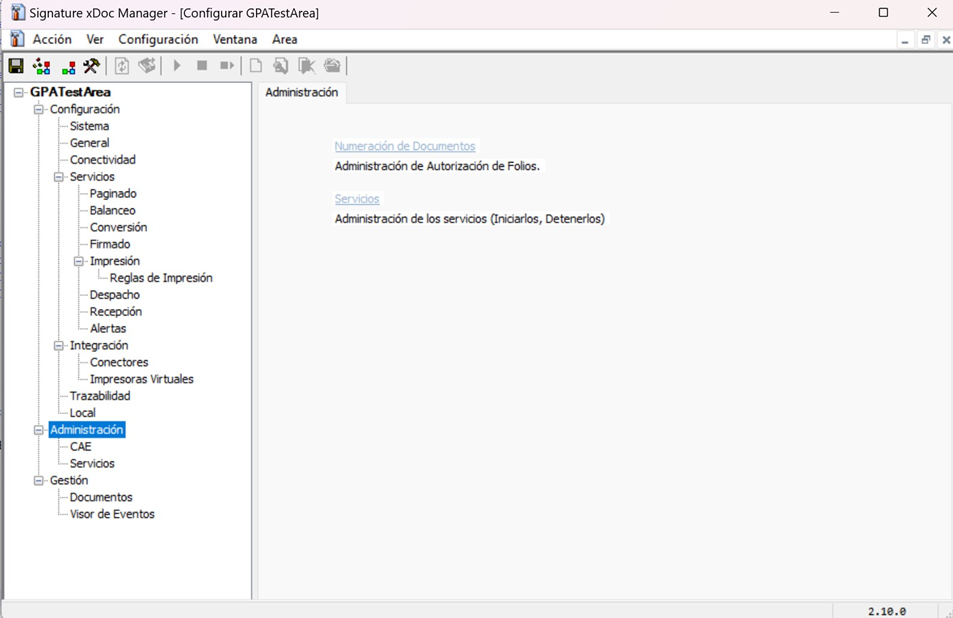
🛡️ Administration
📄 CAE / CAF
For localities where a folio/CAF approved by the tax authority is required.
🔧 Services
Windows services created by xDoc Global. From the console they can be started, stopped, or restarted.
In some cases it is necessary to run xDoc Manager as Administrator.
📊 Management
📁 Documents
Allows viewing the directory where each document is located. Works best when the services process documents one by one.
📋 Event viewer
Delivers logs per service: start, stop, errors (conversion, signing, dispatch, etc.). Helps in fault analysis and audits.
🔗 See also
- xDoc Global — what the product is and what it solves.
- Installation — step-by-step installation process.
- System requirements — prerequisites before installation and configuration.