The Spanish version is the authoritative reference. View in Spanish
🗂️ Versions
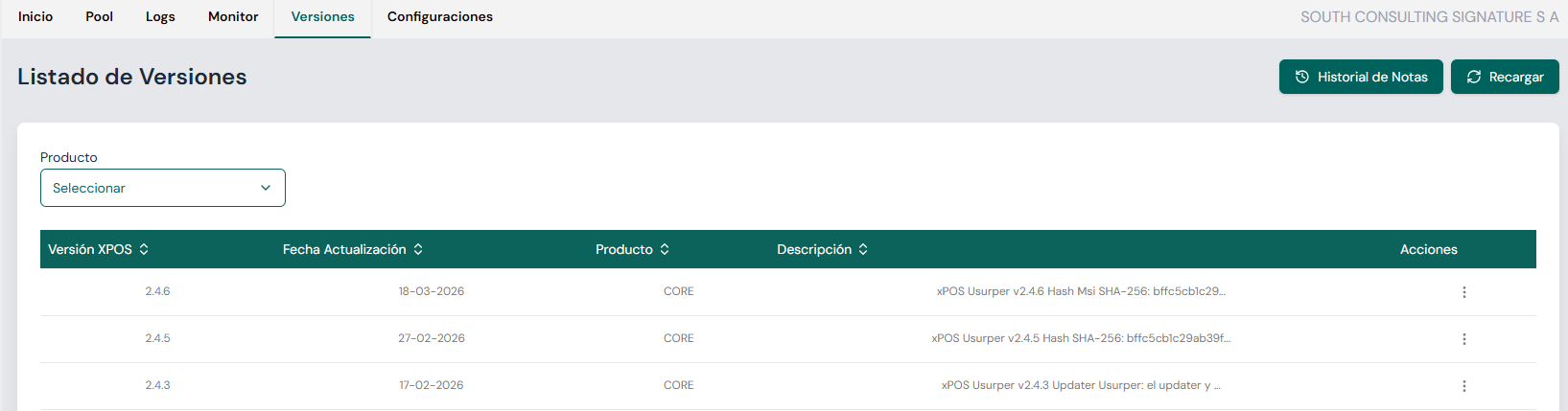
The Versions section lets you browse the update history of the xPOS system, including details of each published version, its deployment date, the associated product and a short description of the changes.
🧭 Navigation and components
🔽 Product filter
- Located at the top left.
- Lets you select the specific product (CORE / UPDATER / CONSOLE) to filter the versions shown in the list.
🔁 "Reload" button
- Located at the top right.
- Refreshes the table data to show up-to-date information without reloading the page.
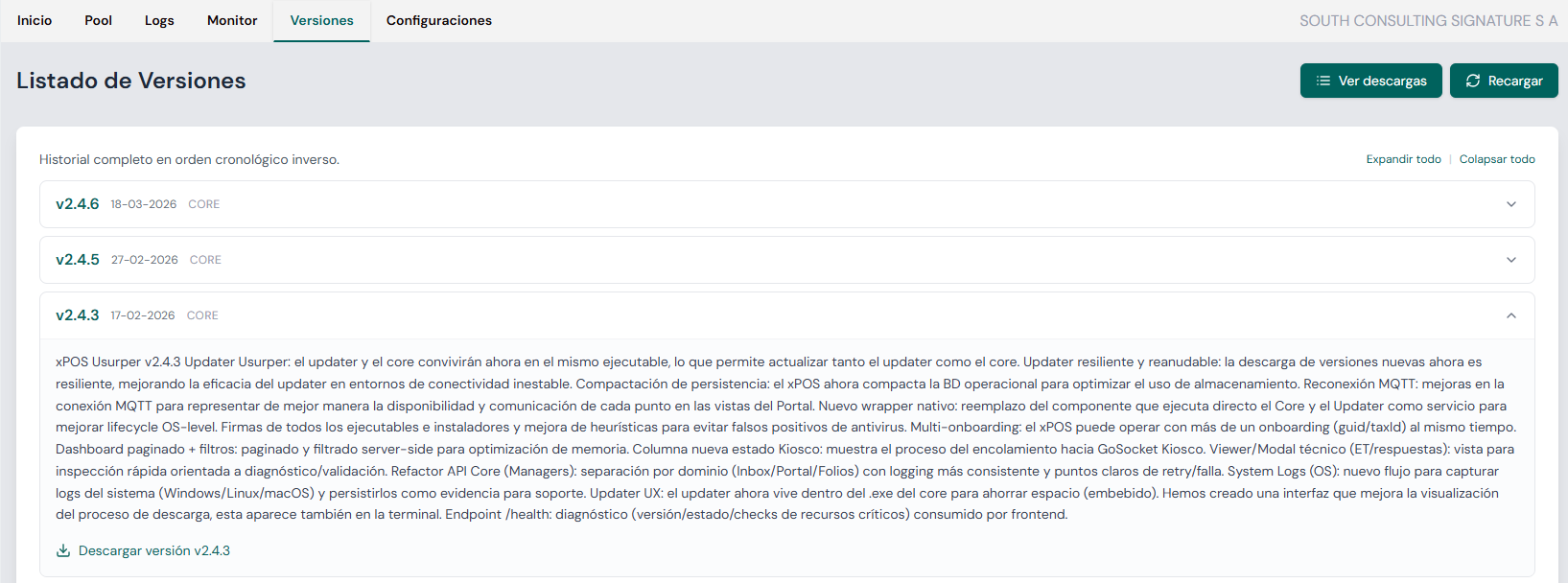
⬇️ "View downloads" button
- Located at the top right (replaces the "Notes history" button).
- Opens the screen to view the versions and download them.
📜 "Notes history" button
- Located at the top right.
- Opens the screen with the release notes history.
📋 Versions table
| Column | Description |
|---|---|
| xPOS Version | Deployed version number XX.XX.XX (e.g. 2.4.6). |
| Update Date | Date the corresponding version was released. |
| Product | Product the version belongs to (CORE | UPDATER | CONSOLE). |
| Description | Summary of the changes included in the version: fixes, improvements or new features. |
| Actions | Contextual menu with additional actions:
|
📝 Usage example
- Select the product from the dropdown menu.
- Browse the list sorted chronologically (newest to oldest).
- Click the actions icon (⋮) at the end of the row to see more details of a specific version (if applicable).
- Use the "Reload" button if new versions were released during your session.
💡 Additional notes
- Version descriptions may include emojis or icons to highlight change types (🚀 new features, 🐞 fixes, ⚙️ technical improvements, etc.).
- This list is useful both for developers and for support users who want to check whether an issue was already fixed in a later version.