The Spanish version is the authoritative reference. View in Spanish
🔄 xPOS-Updater Dashboard
xPOS-Updater has its own web interface, separate from the xPOS-Core one, which lets you view and manage the status of the installed versions.
Looking for how to install the component? See xPOS-Updater installation.
🔐 Dashboard access
- Open a web browser on the machine where xPOS-Updater is installed.
- Go to the following address:
http://localhost:3400/
- Sign in with the installation credentials.
| Field | Example value |
|---|---|
| Username | admin |
| Password | 1234 |
The credentials shown are examples: the real ones for your installation are provided during onboarding with the Gosocket team.
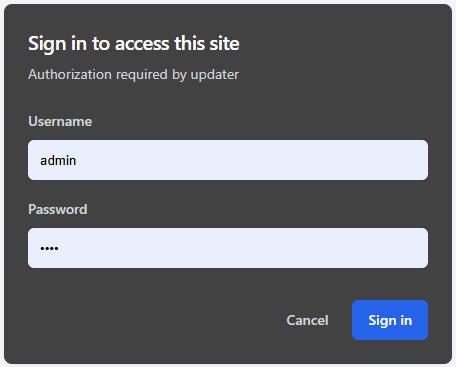
From version 2.7.0 onwards, the xPOS-Core dashboard includes the Open xUpdater action, which starts the updater service and opens this interface without having to start it manually. See Dashboard · Configurations.
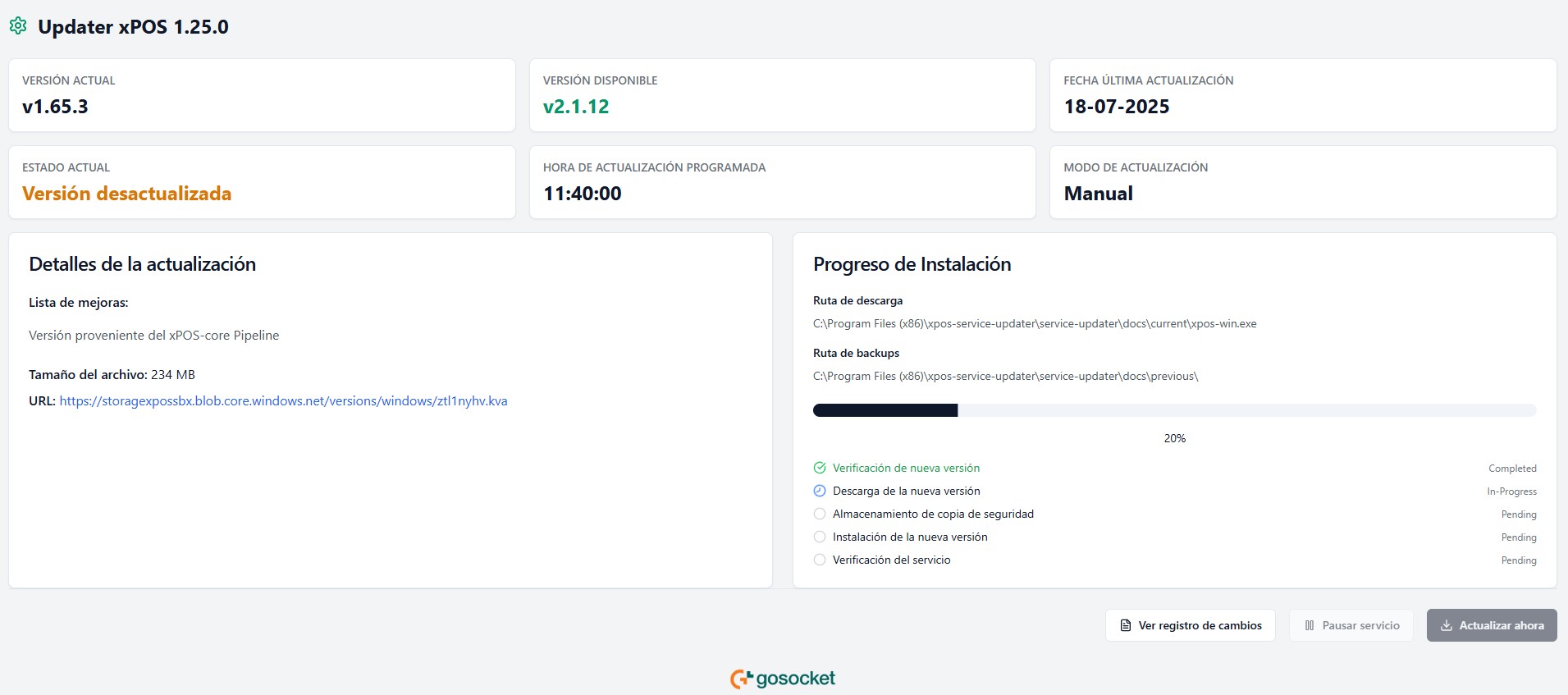
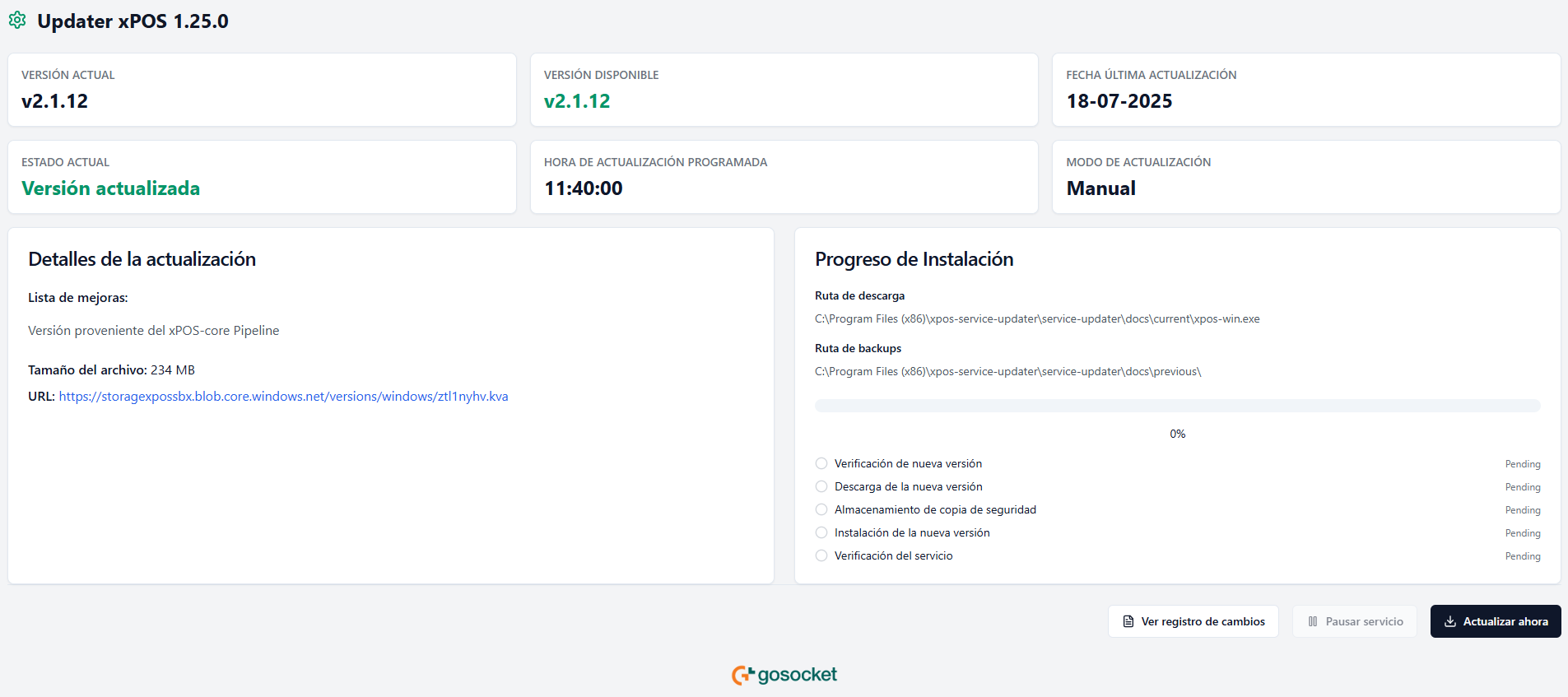
Once authenticated, you reach the main xPOS-Updater Dashboard:
🆔 Updater information
The purpose of this interface is to view and check whether new versions are available for xPOS-Core:
- Current version: current version of the xPOS-Core executable X.XX.X.
- Available version: version available in the xPOS cloud backend X.XX.X.
- Last update date: date of the last time xPOS-Core was updated.
- Current status: indicates whether the current xPOS-Core version is up to date or outdated.
- Scheduled update time: time at which the organization configured the version update and configuration download on xPOS-Core to run.
- Update mode: indicates whether the xPOS-Core version update will run manually or automatically (according to the scheduled update time).
- Update details: release note with the improvements and fixes of the new xPOS-Core version.
- Installation progress: tracking of the stages of the xPOS-Core update.
The update mode and the scheduled time are set in the xPOS Gadget, under Configurations — see xPOS Gadget — Settings.
🔘 Manual actions
| Action | What it does |
|---|---|
| View change logs | Shows the version history with their release notes. |
| Pause service | Temporarily stops the updater service. |
| Update now | Runs the xPOS-Core update immediately, without waiting for the scheduled time. |